







For HR teams and the leaders they answer to

Be the company
people show up for.
Culture, now with
push notifications.
Fewer empty chairs.
More inside jokes.

Your company's own events app, white-labeled with your brand. It brings every employee, on every shift and in their own language, into the moments that make a workforce stronger.

iPhoneAndroidOne app, both platforms

Waitlists that fill themselvesPush remindersEnglish, Español and 100+ languagesVerified employees onlyTwo-way messagingYour brand on the home screeniPhone and AndroidApprovals and audit trailVirtual events with one-tap JoinQR check-in at the doorCoworker invites and repliesStaff polls and ideasAI event planner

Why it matters

Stronger teams show up for each other.

Company events are where coworkers become teams. Command Events makes sure every employee hears about them, understands them and can say yes in seconds, so the culture you invest in reaches your whole workforce, not just the people at a desk.

Engagement you can measure

Reports show sign-ups, attendance, feedback and cost by event, department and location, ready to export for your next leadership review.


Every employee included

Hourly, frontline and remote employees join from their own phones, with no company email or laptop needed.

One culture across every location

Every site, shift and team gets the same events and the same experience, in one place.

Hours back for HR

Sign-ups, waitlists, reminders and translations run themselves, so your team plans experiences instead of chasing replies.

The app

The app your people actually open.

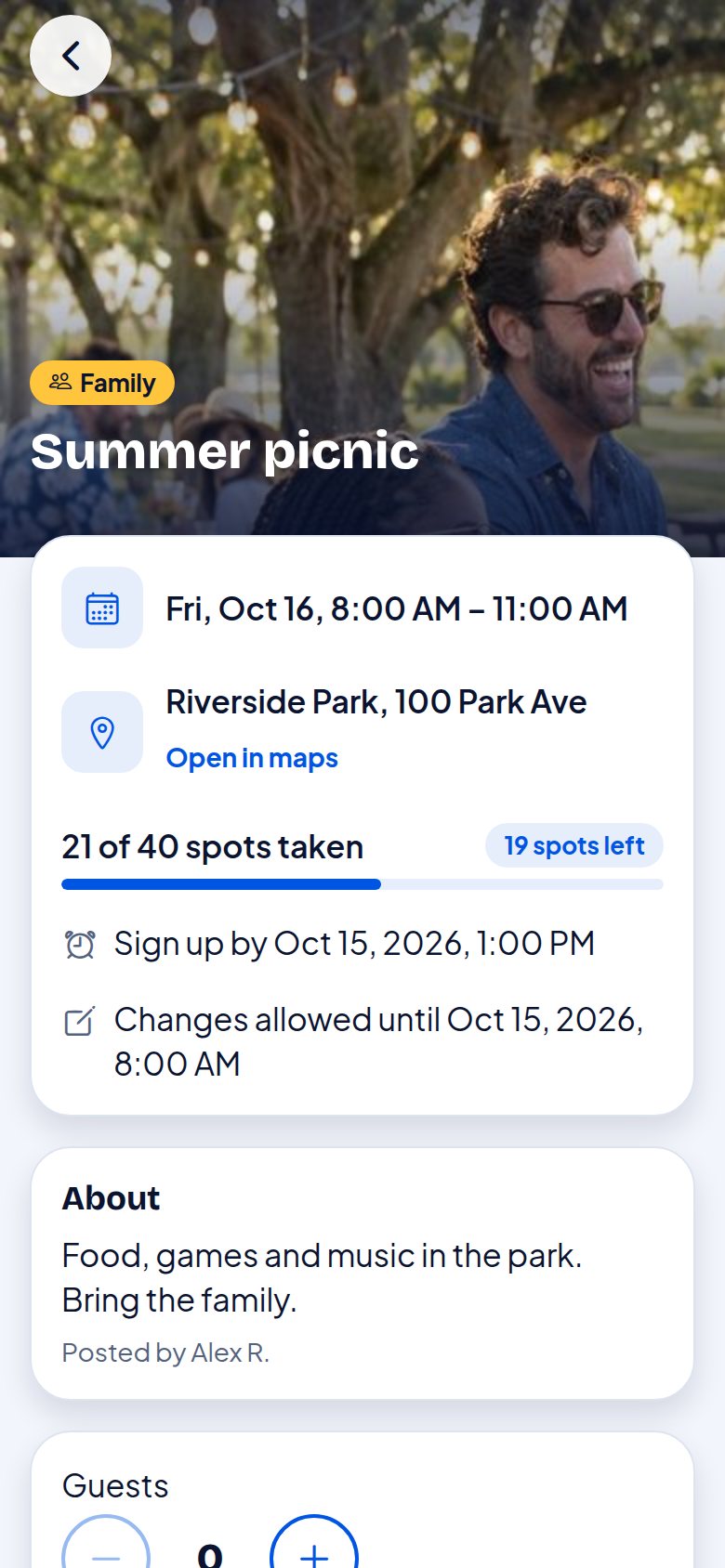
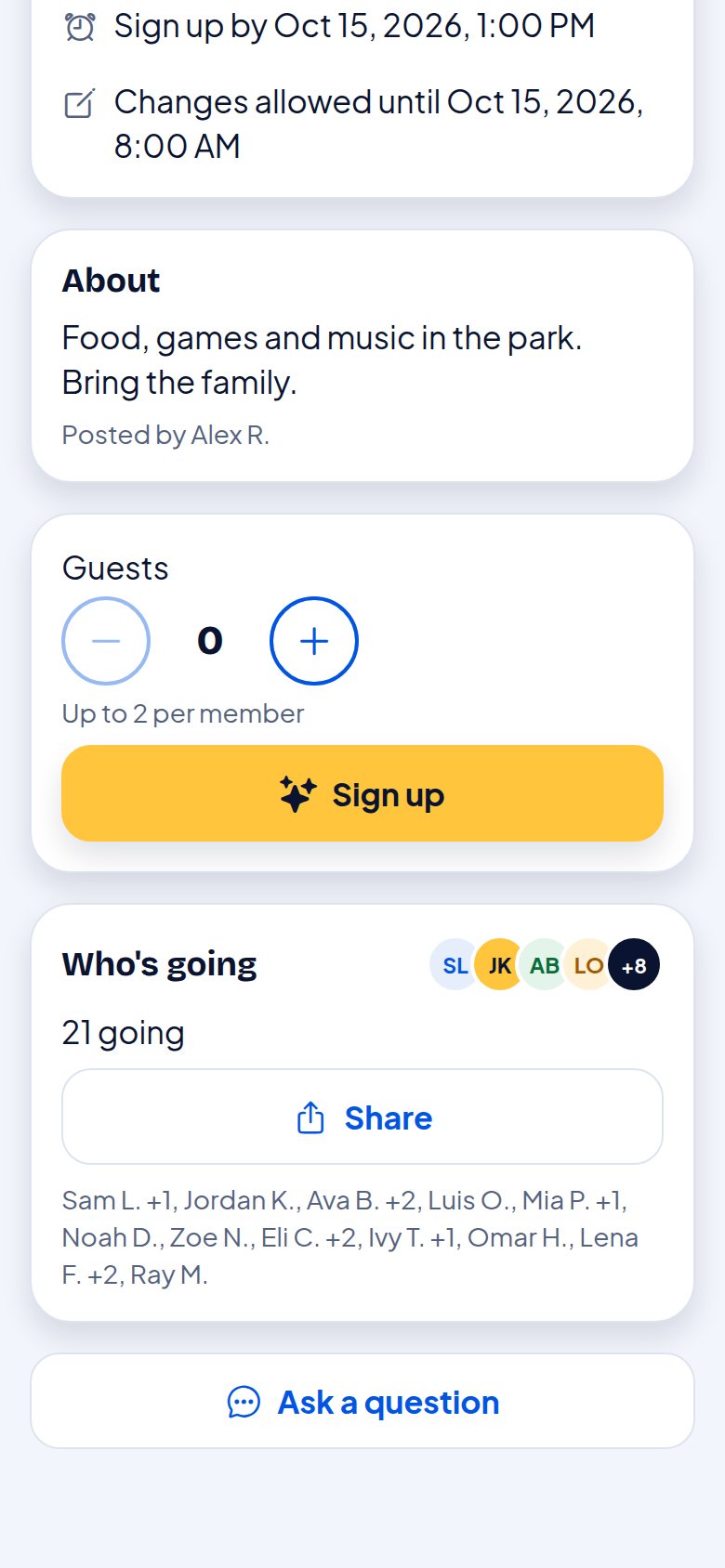
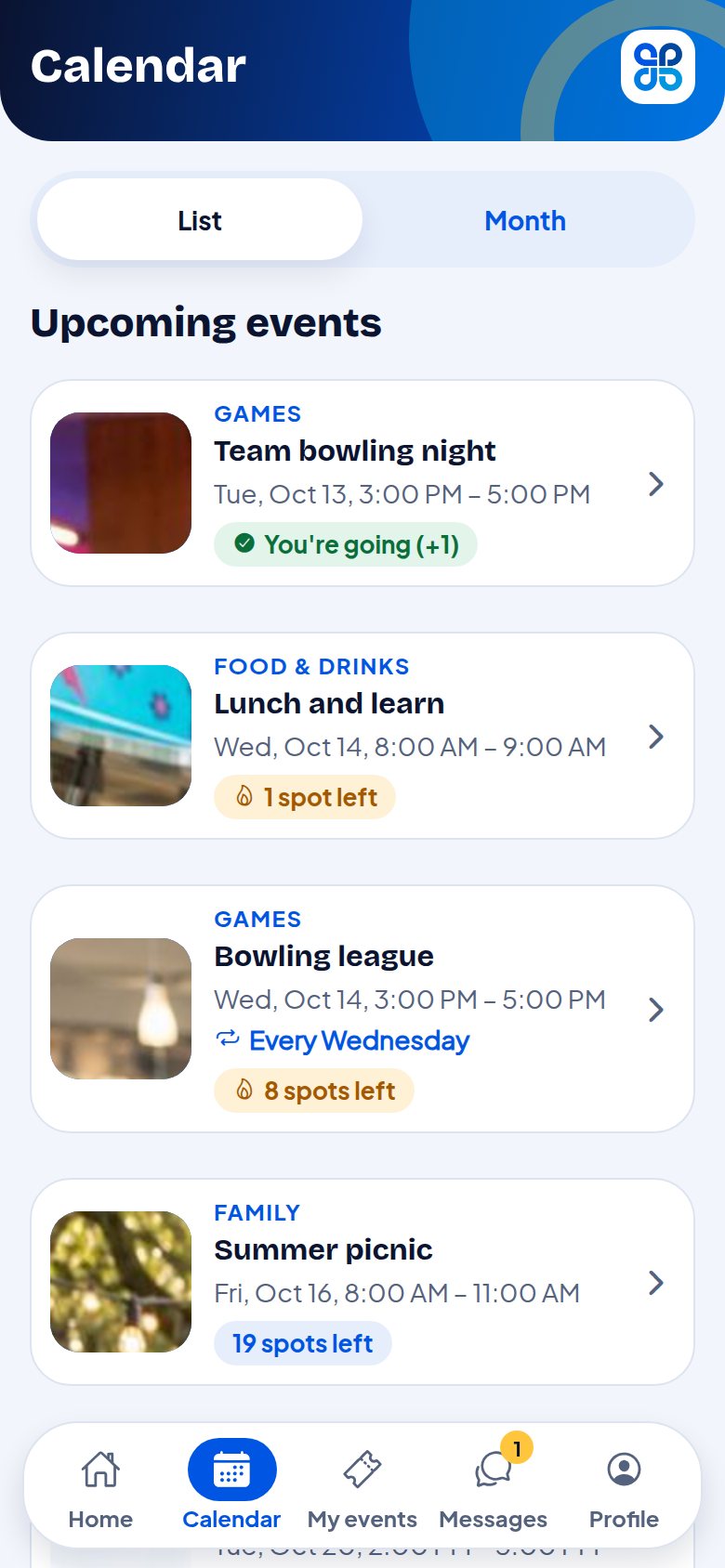
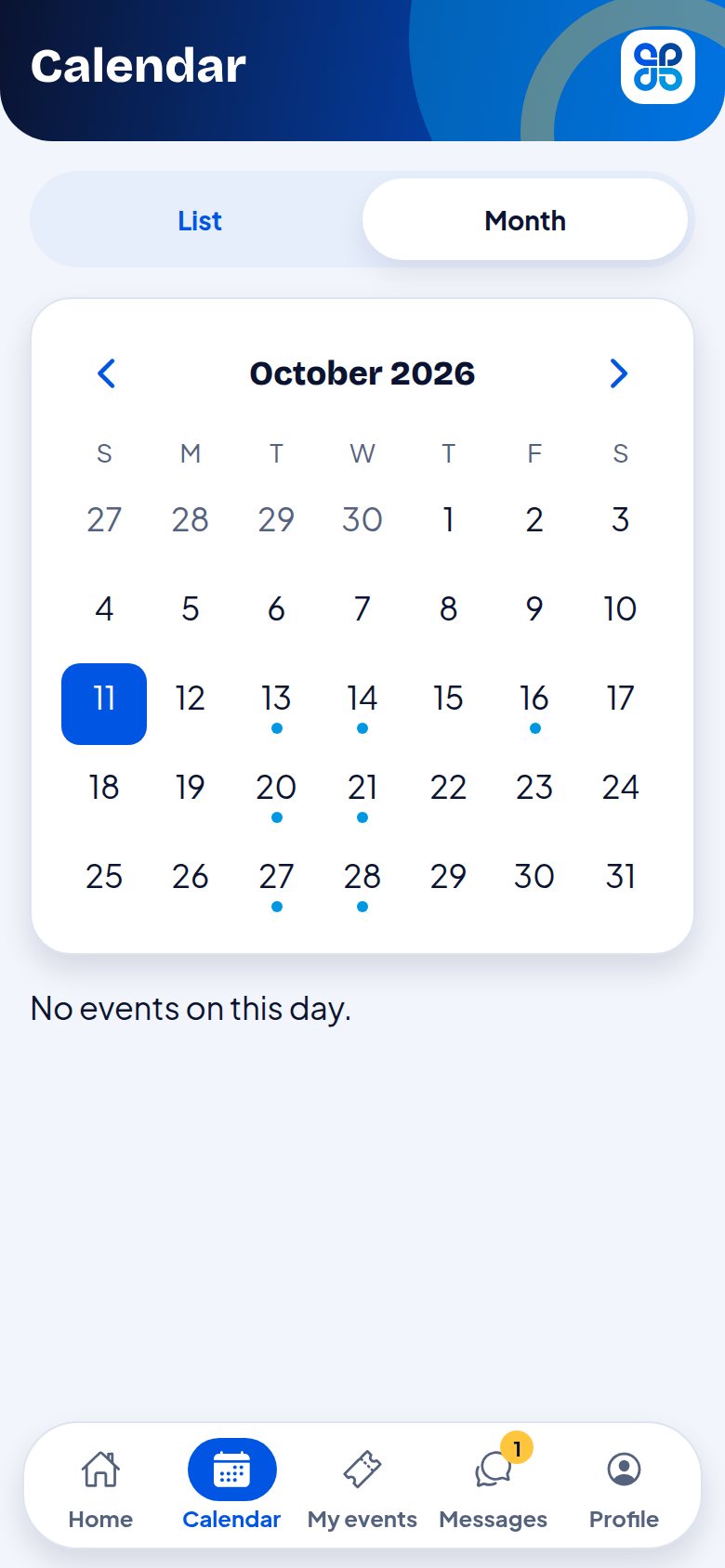
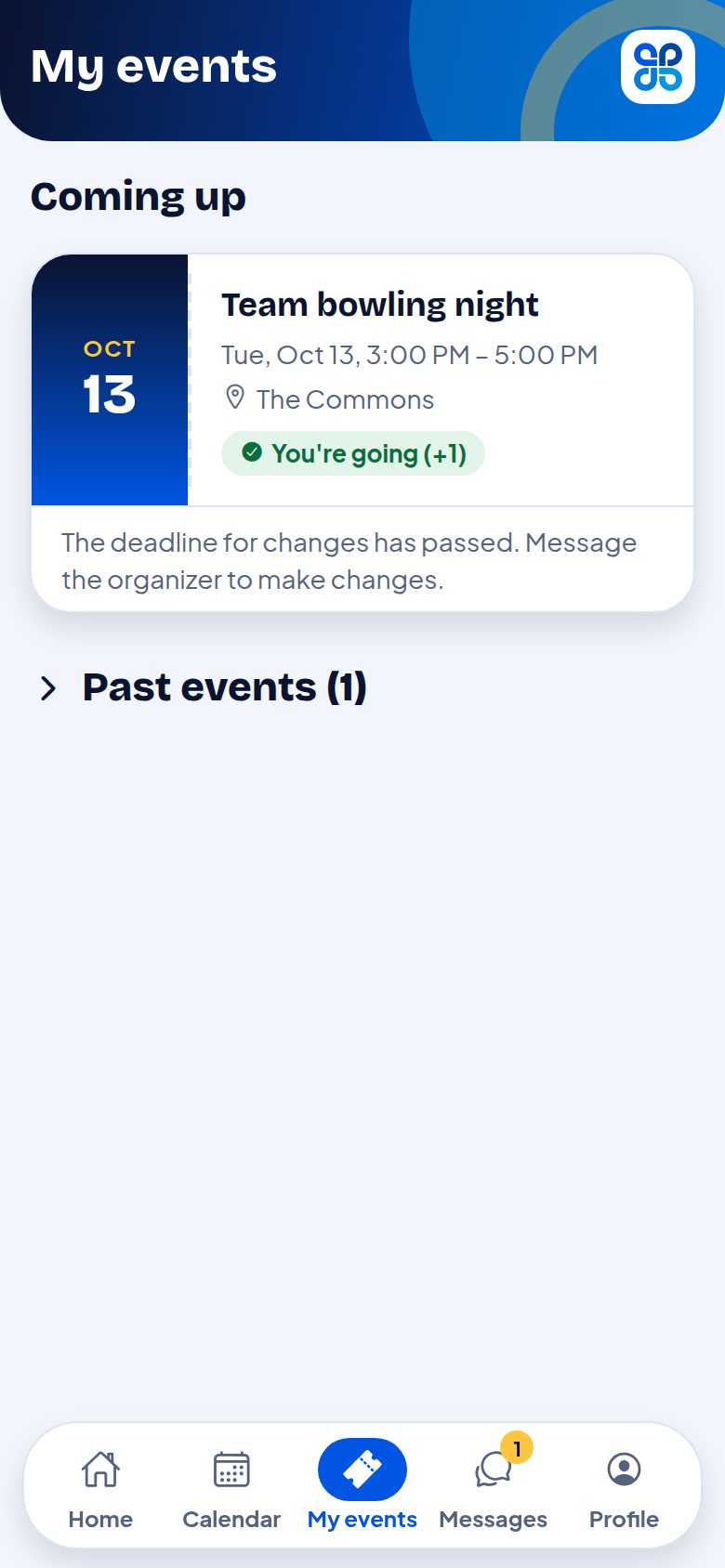
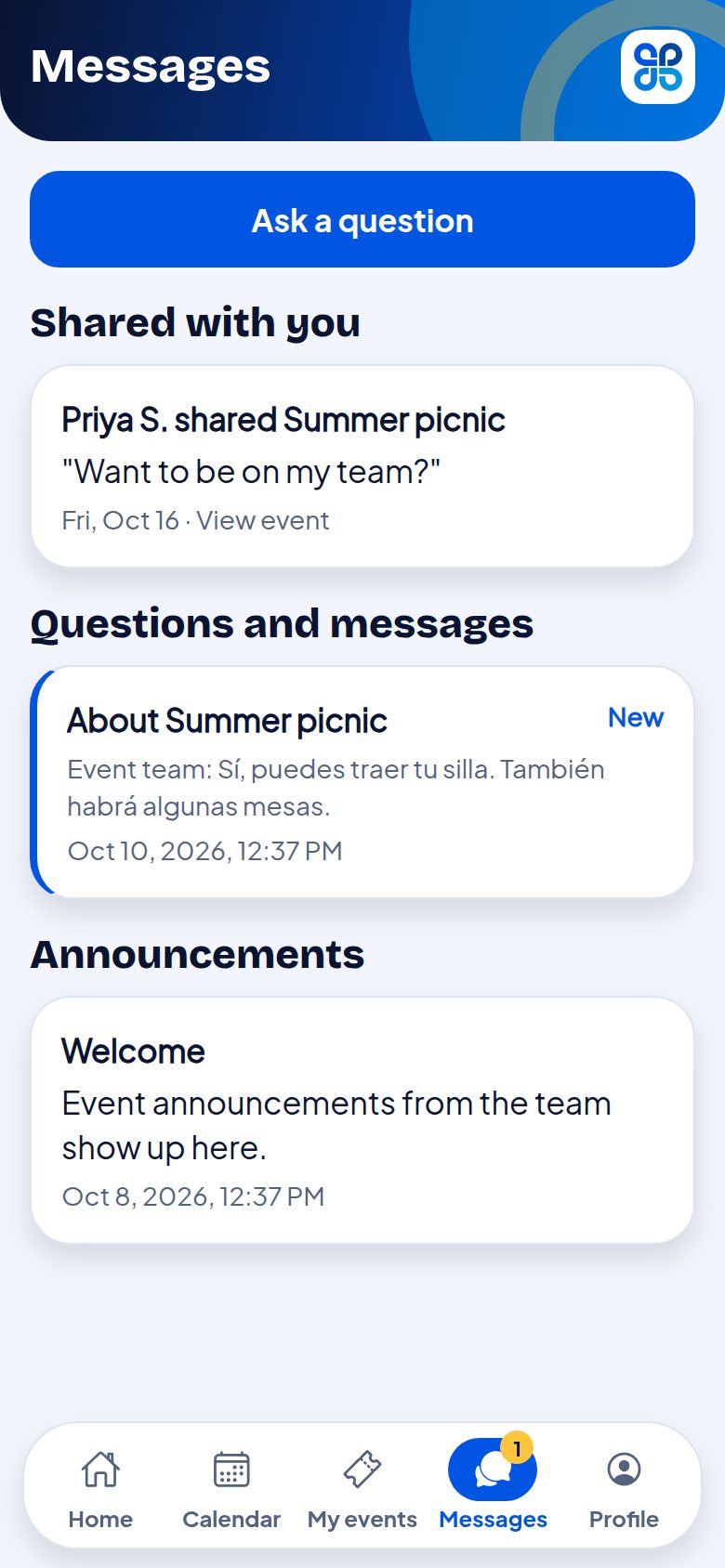
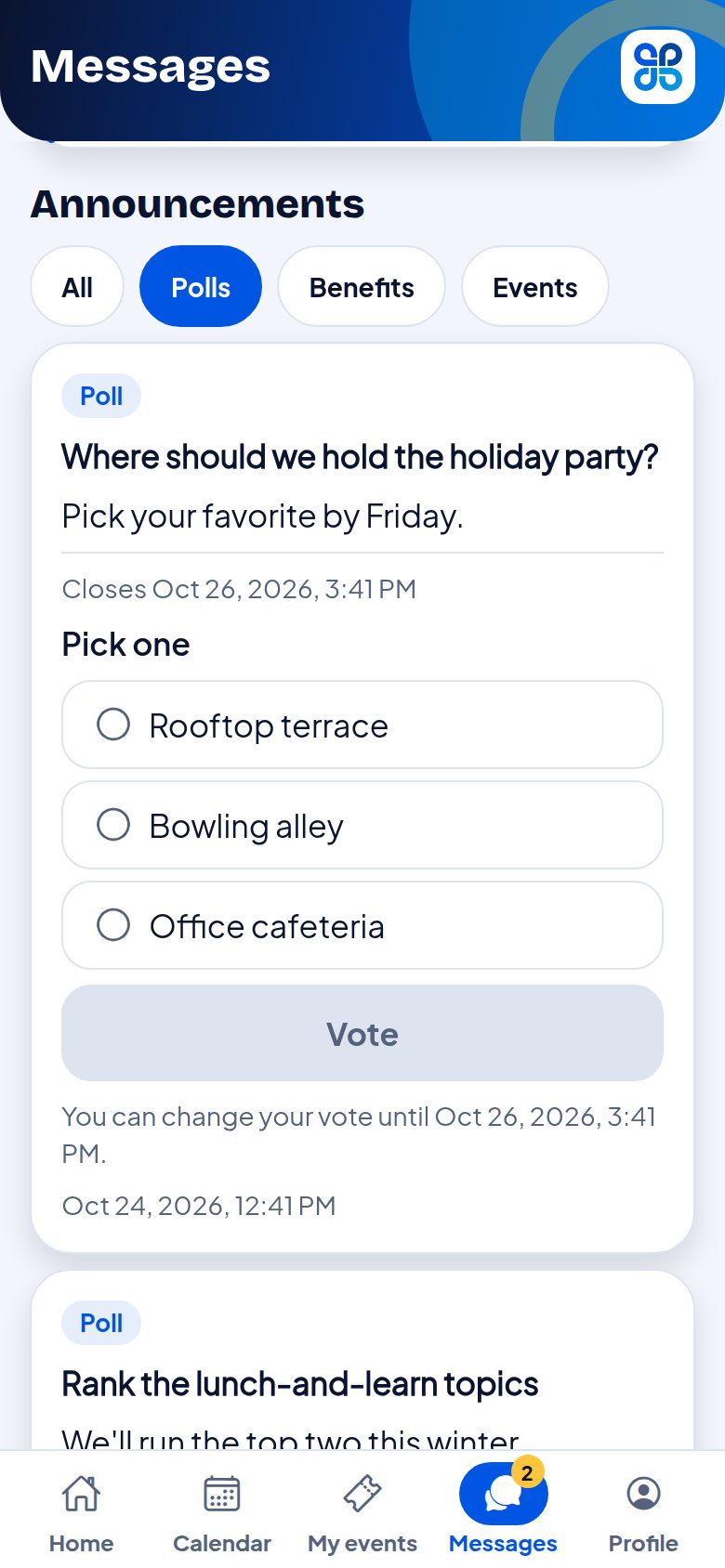
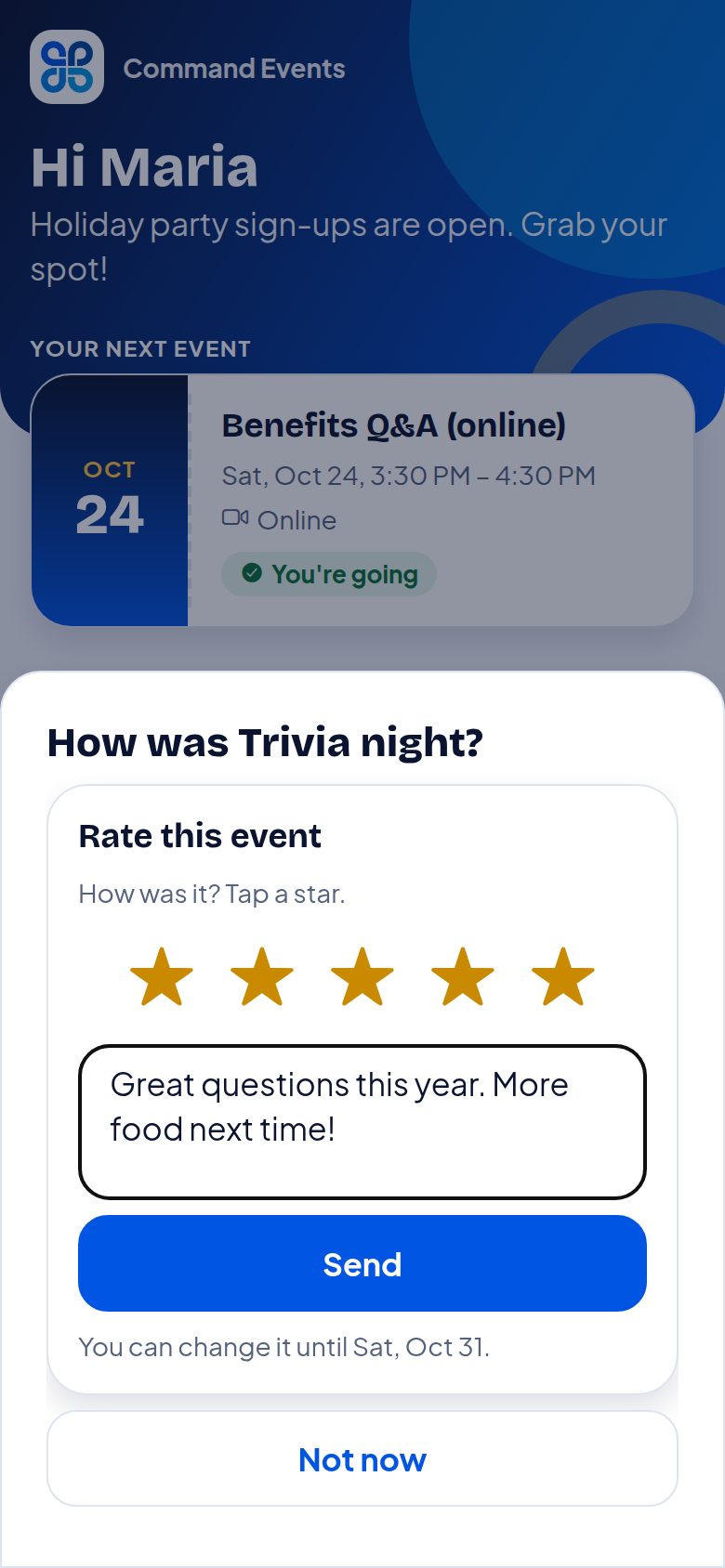
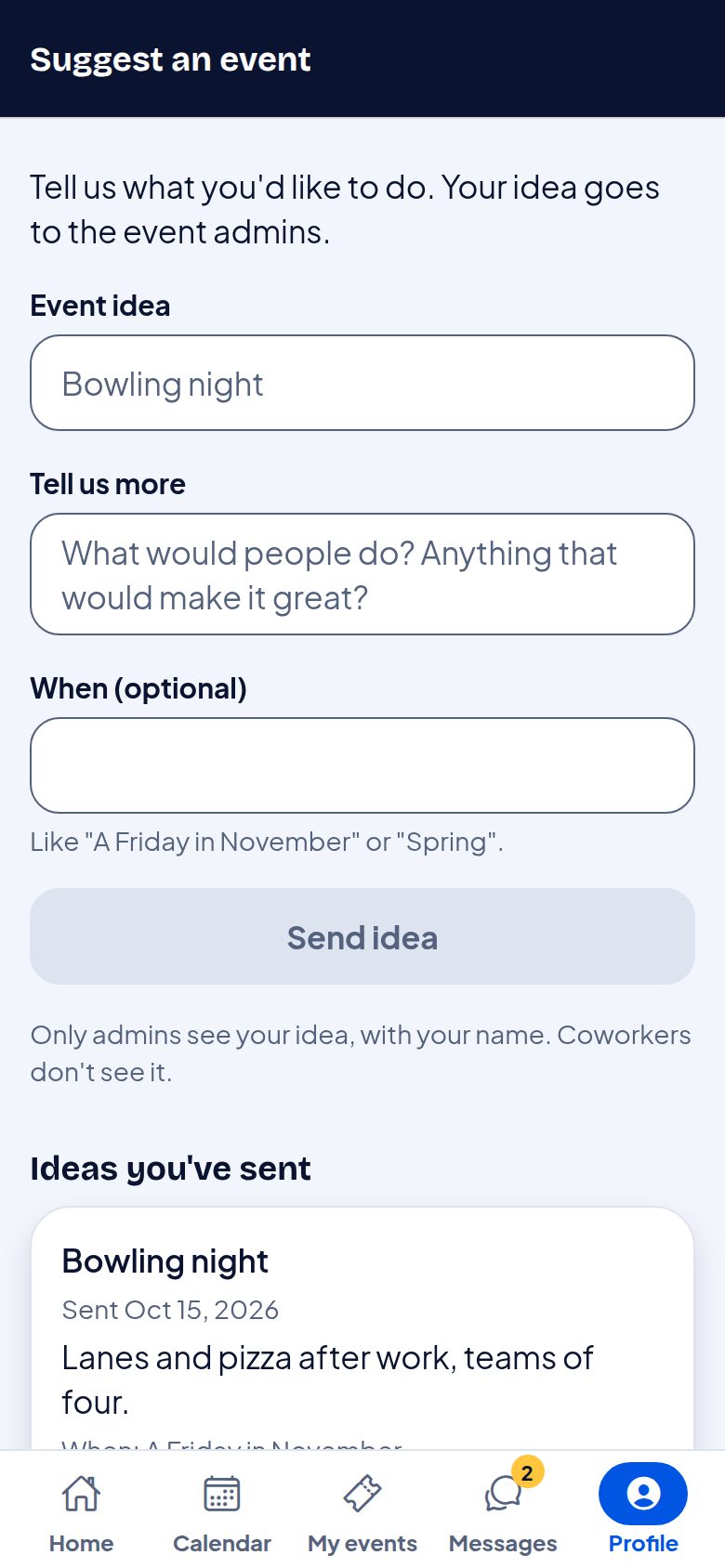
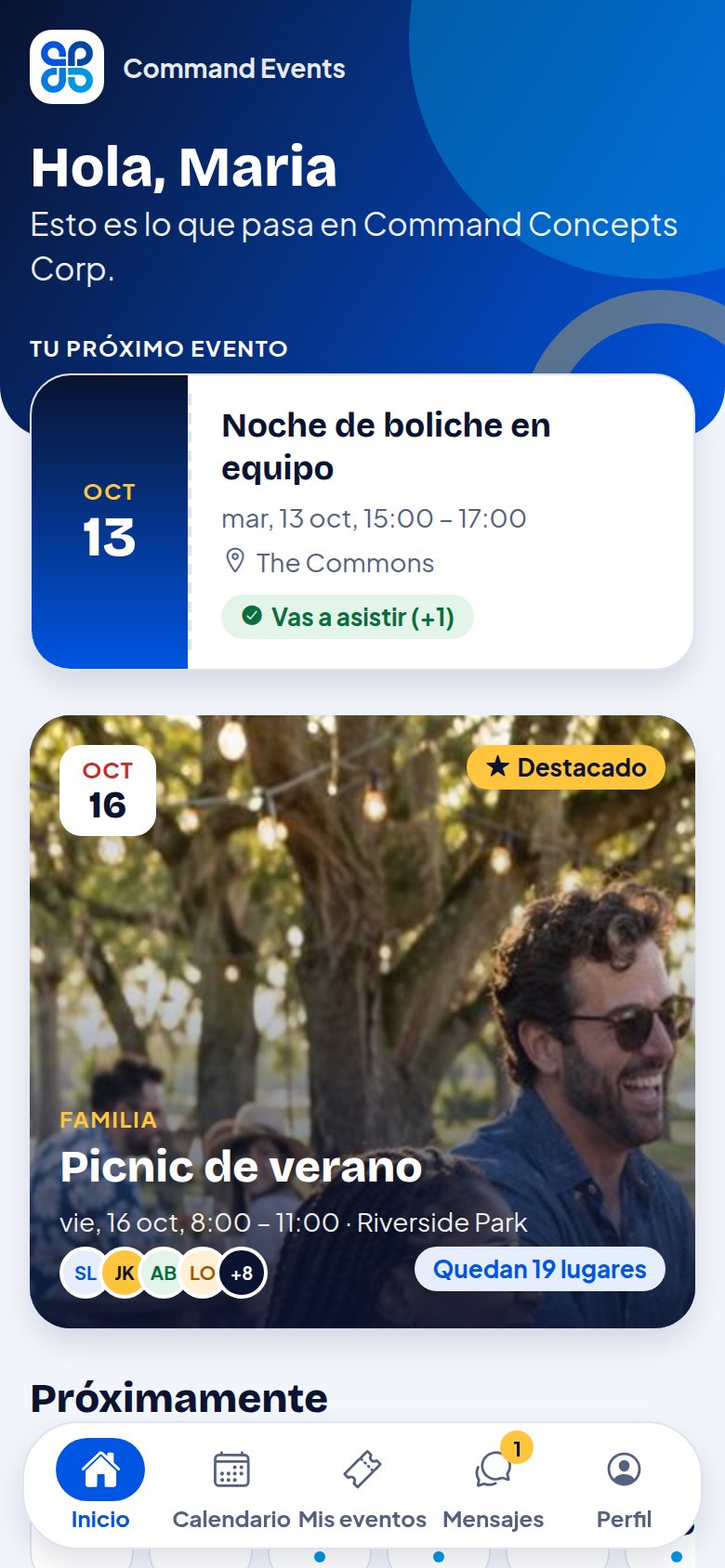
Real screens from the app. Events, sign-ups, reminders and answers, all in your employees' pockets on iPhone and Android.
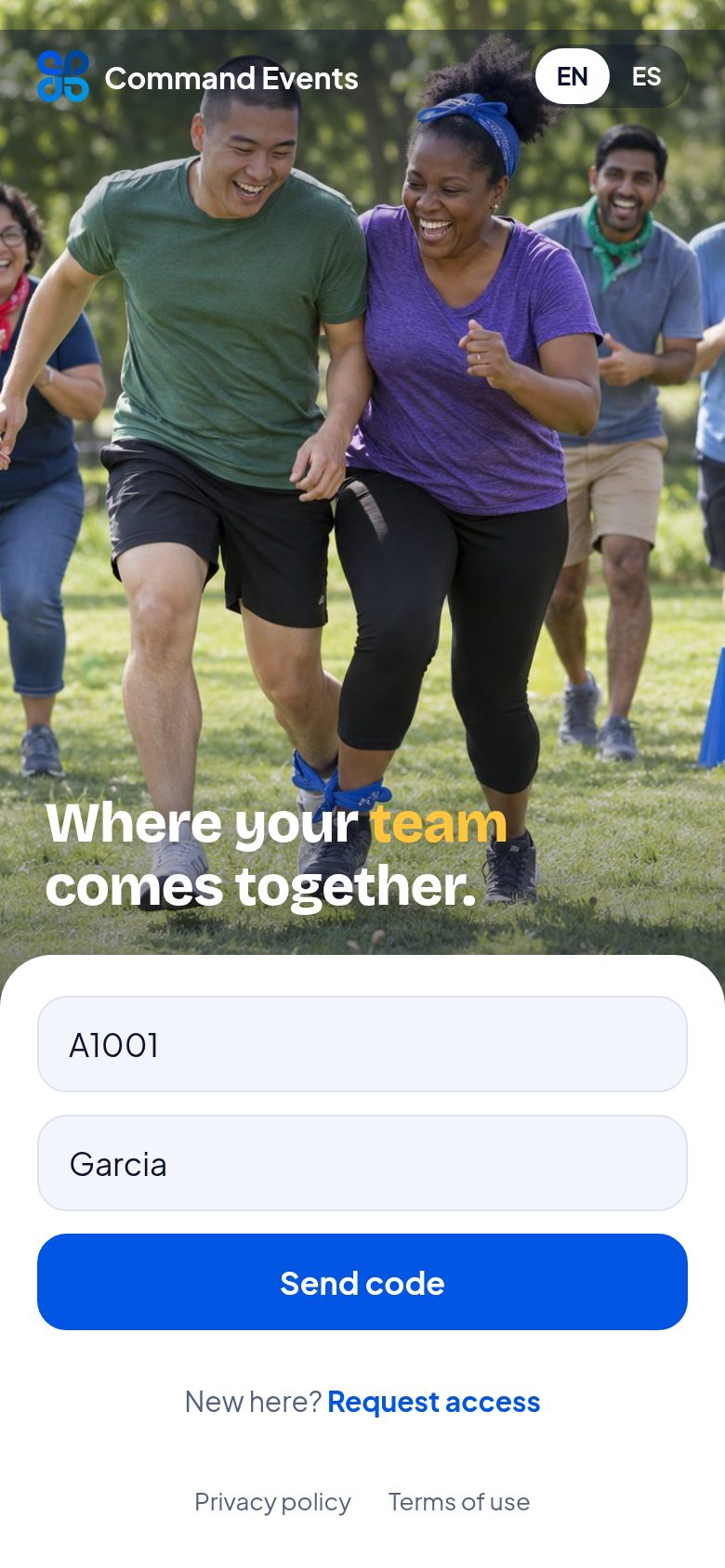
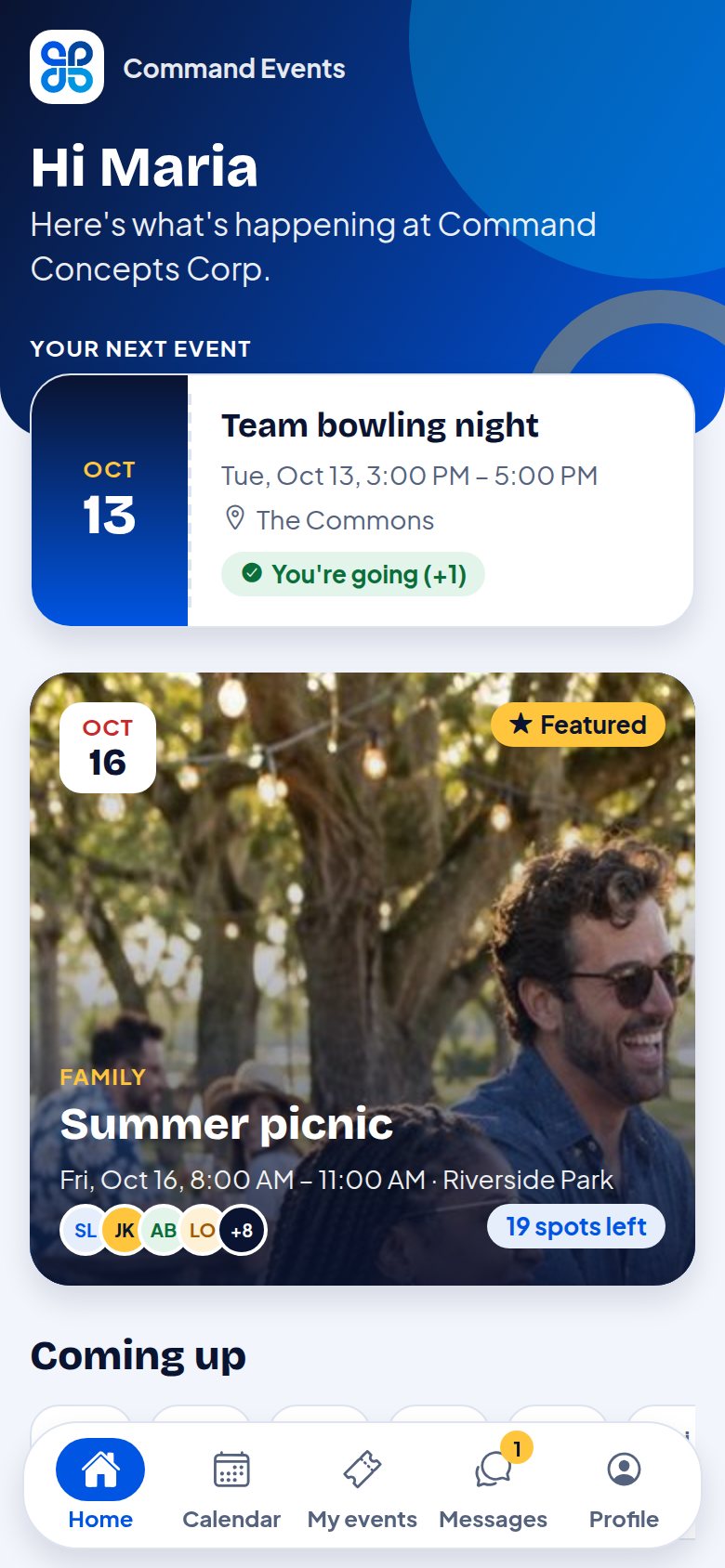
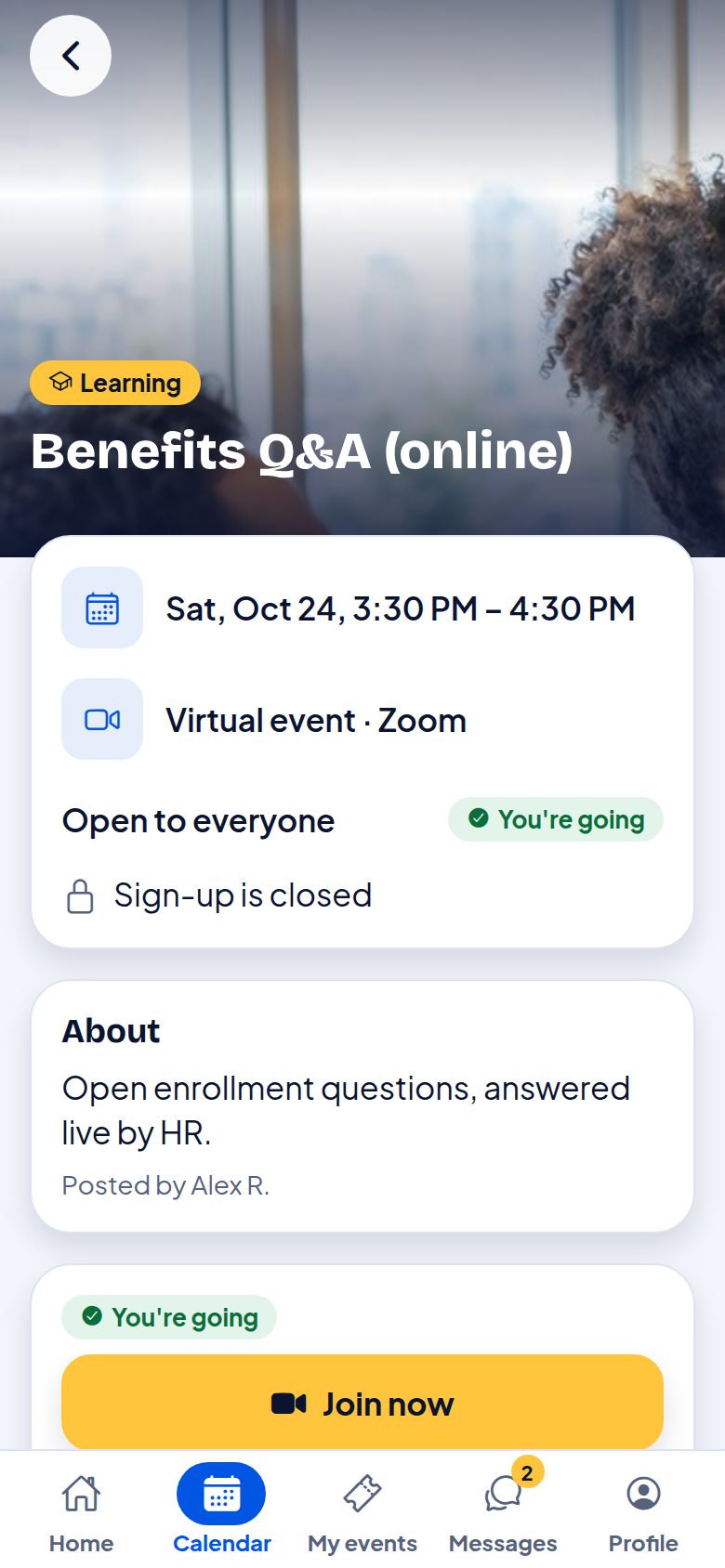
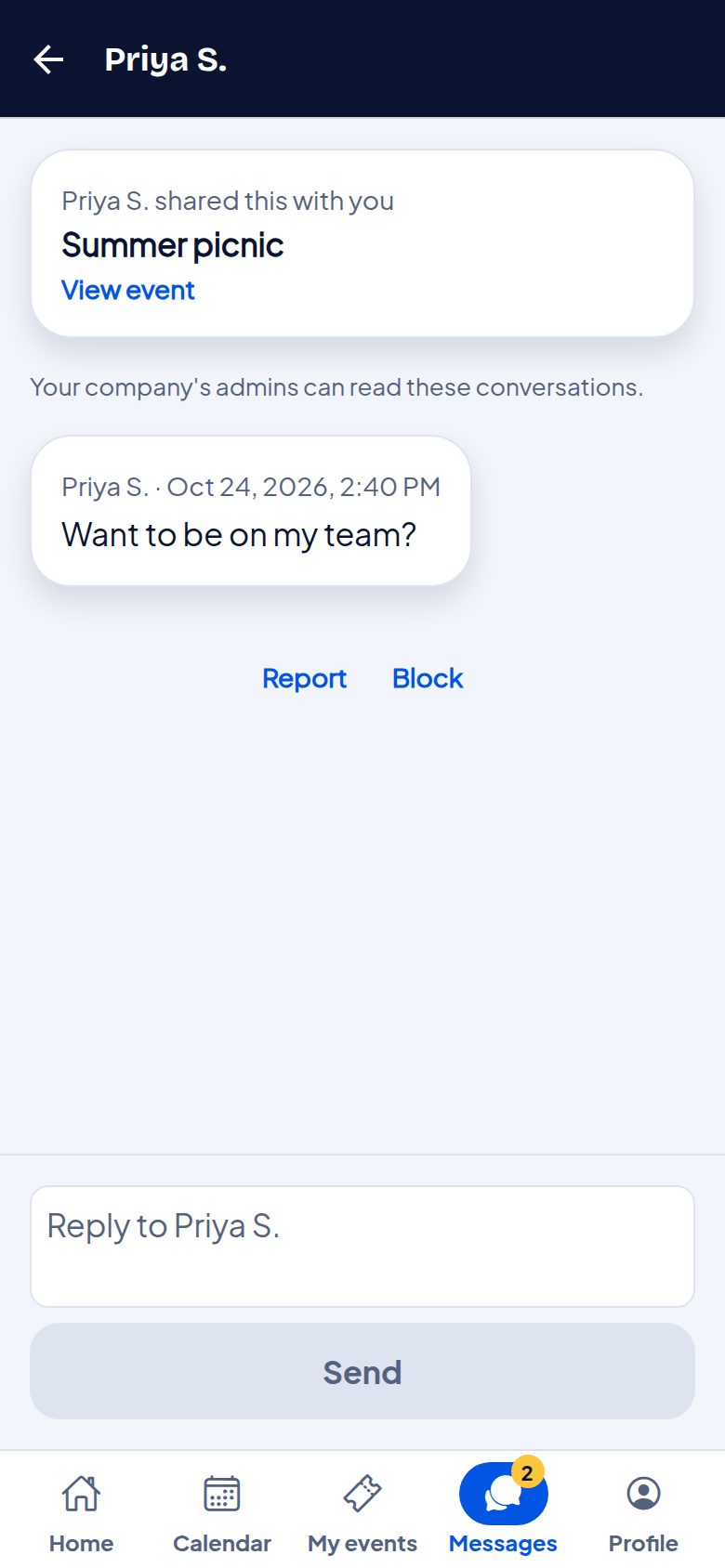
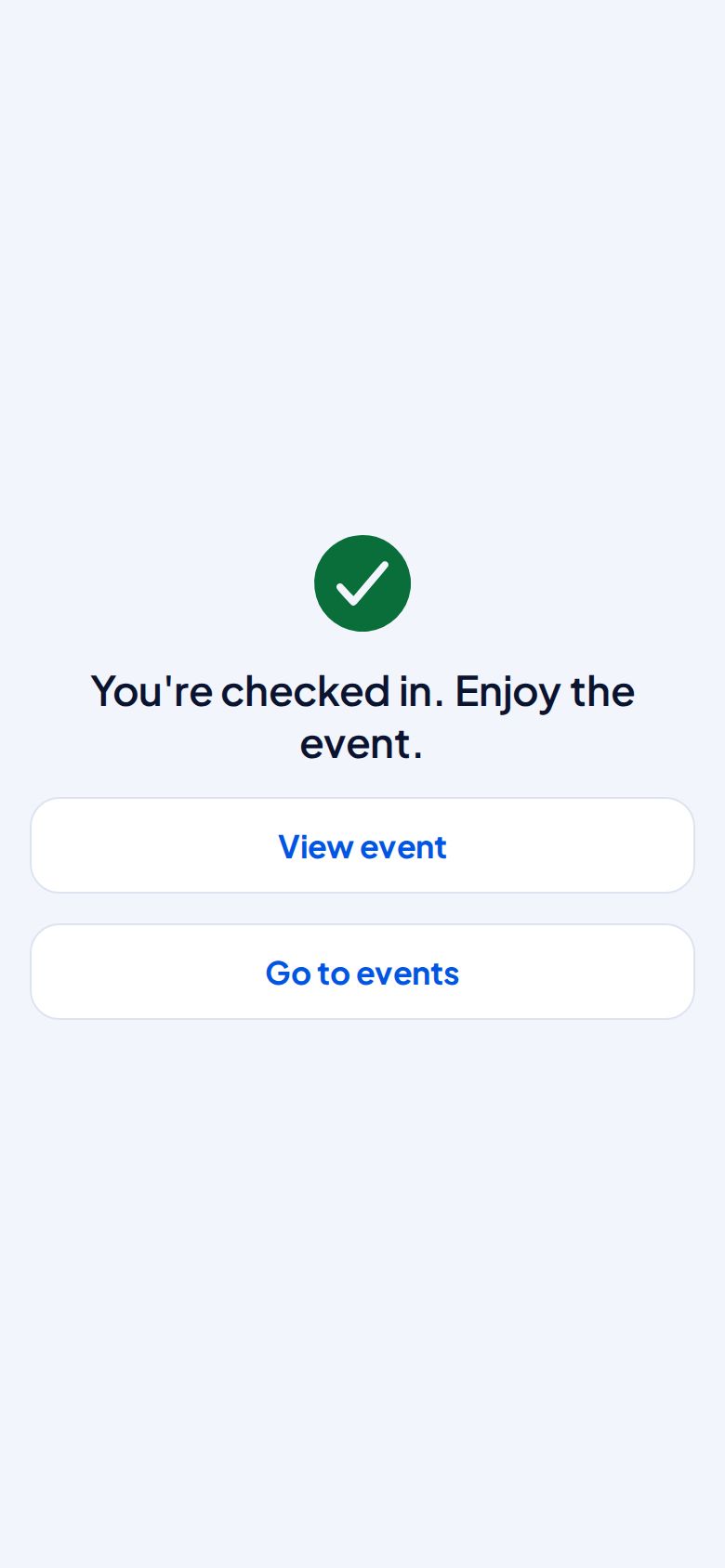
Sign-in screen with employee ID and last name Home screen with the next event and a featured event Event page with date, location, cost, early price and spots left Sign up with guests and answer a few questions Calendar list of upcoming events Month calendar view My events with sign-up status Virtual event with a Join now button A coworker conversation that started from a shared event Checked in confirmation after scanning the door QR code Messages with shared events, questions and announcements An open staff poll with three choices A five-star rating with a comment after an event Suggest an event form and ideas already sent Home screen in Spanish

Every kind of event

Moments worth showing up for.

Awards nights, trivia, field days and everything in between. However your company celebrates, Command Events gets people in the room.


Coworkers applauding an employee holding an award at a company awards night
Awards night
A team of coworkers celebrating at an office trivia night
Trivia night
Coworkers in team shirts running a three-legged race at a company field day
Field day
Coworkers toasting at an after-work rooftop social
After-work social
Coworkers making pasta together at a team cooking class
Team cooking class

For HR and leadership

Built for the people who sign off on it.

  • 01
    Verified employees onlyOnly people on your team list can sign in.
  • 02
    Approvals and an audit trailDecide what goes live and see every change.
  • 03
    Exports for your reviewsReports, sign-up and check-in lists and calendar files in one click.
  • 04
    Your brand, your dataYour team list stays in your own account.
Dashboard demo

Take a tour of the admin dashboard.

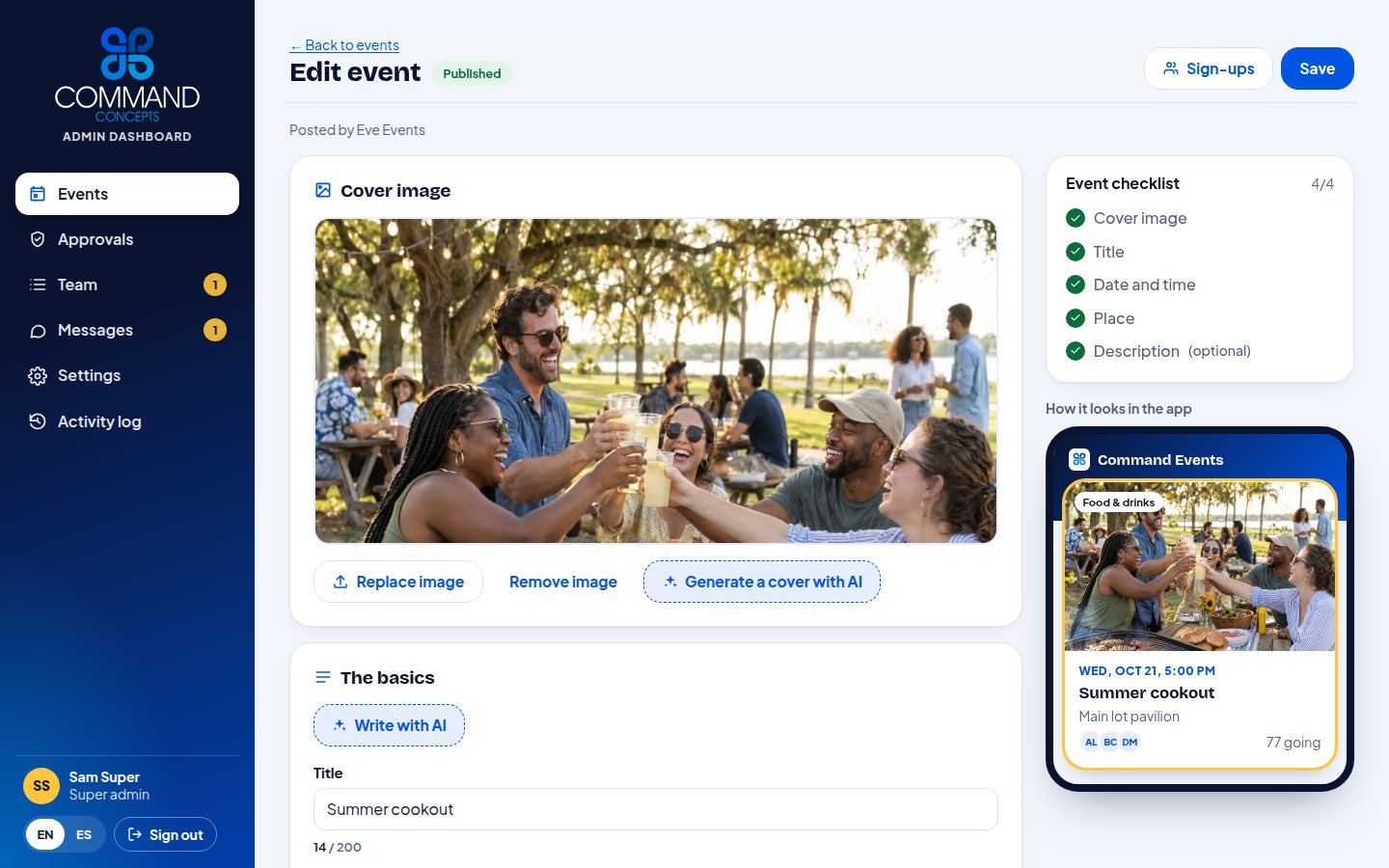
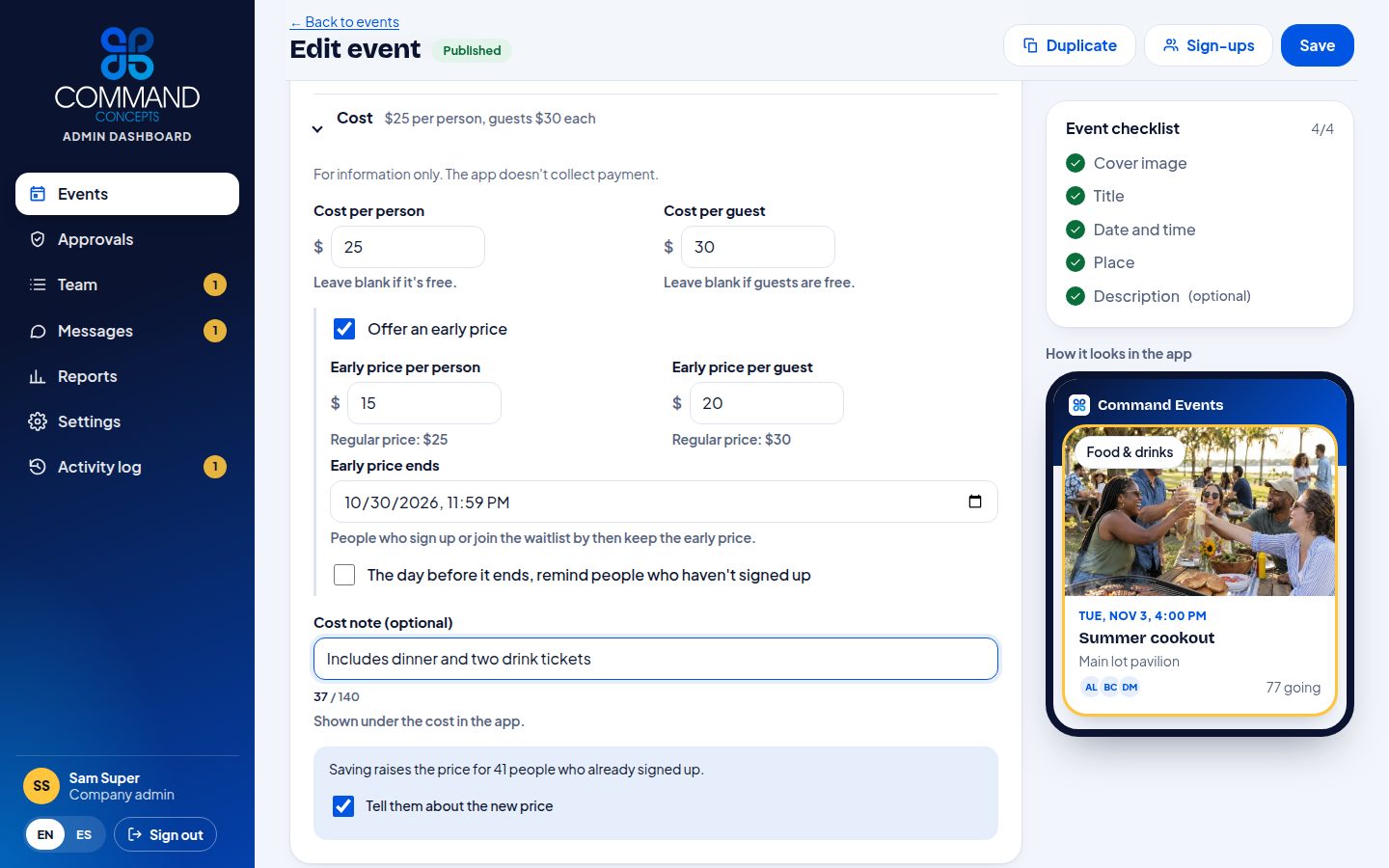
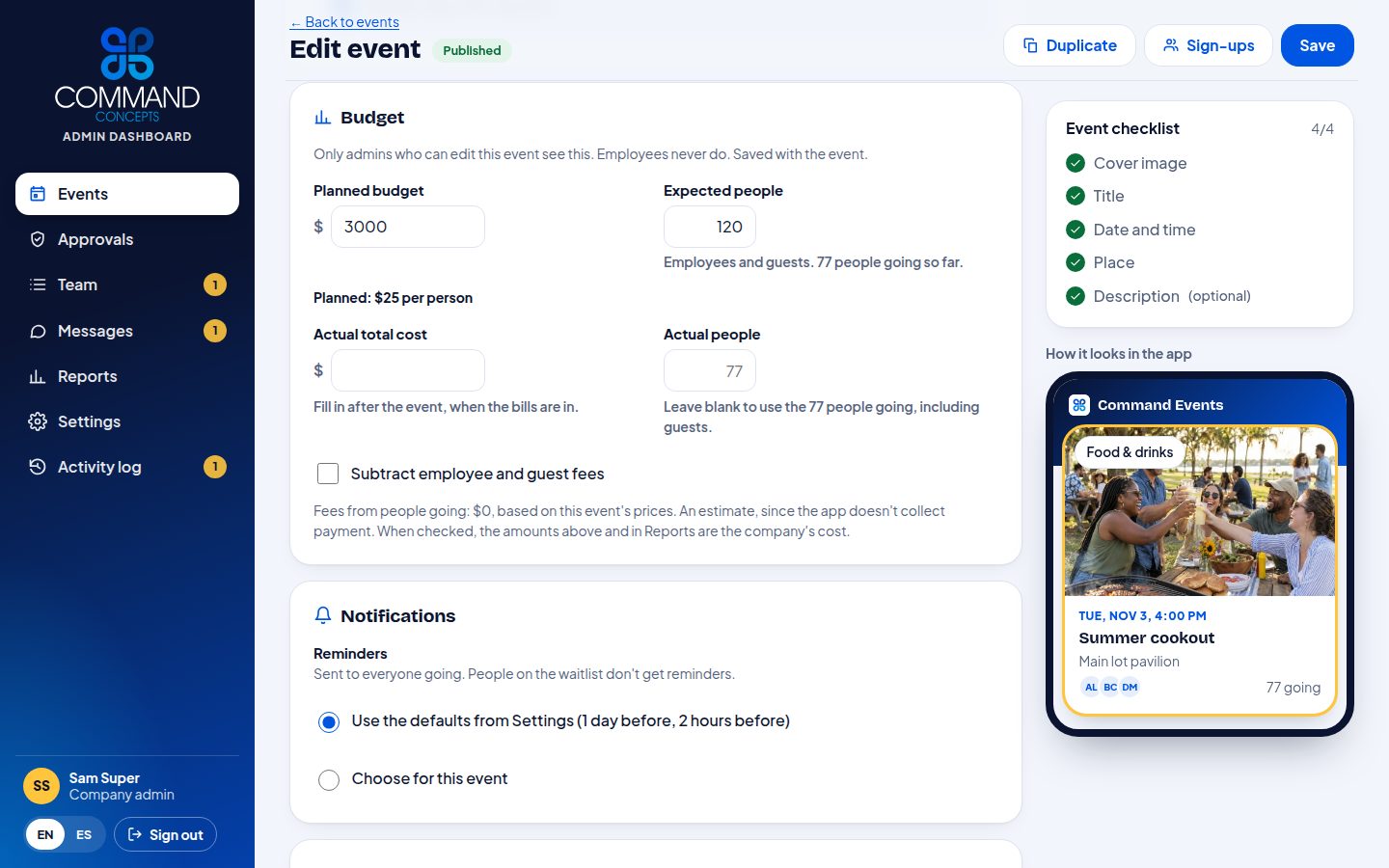
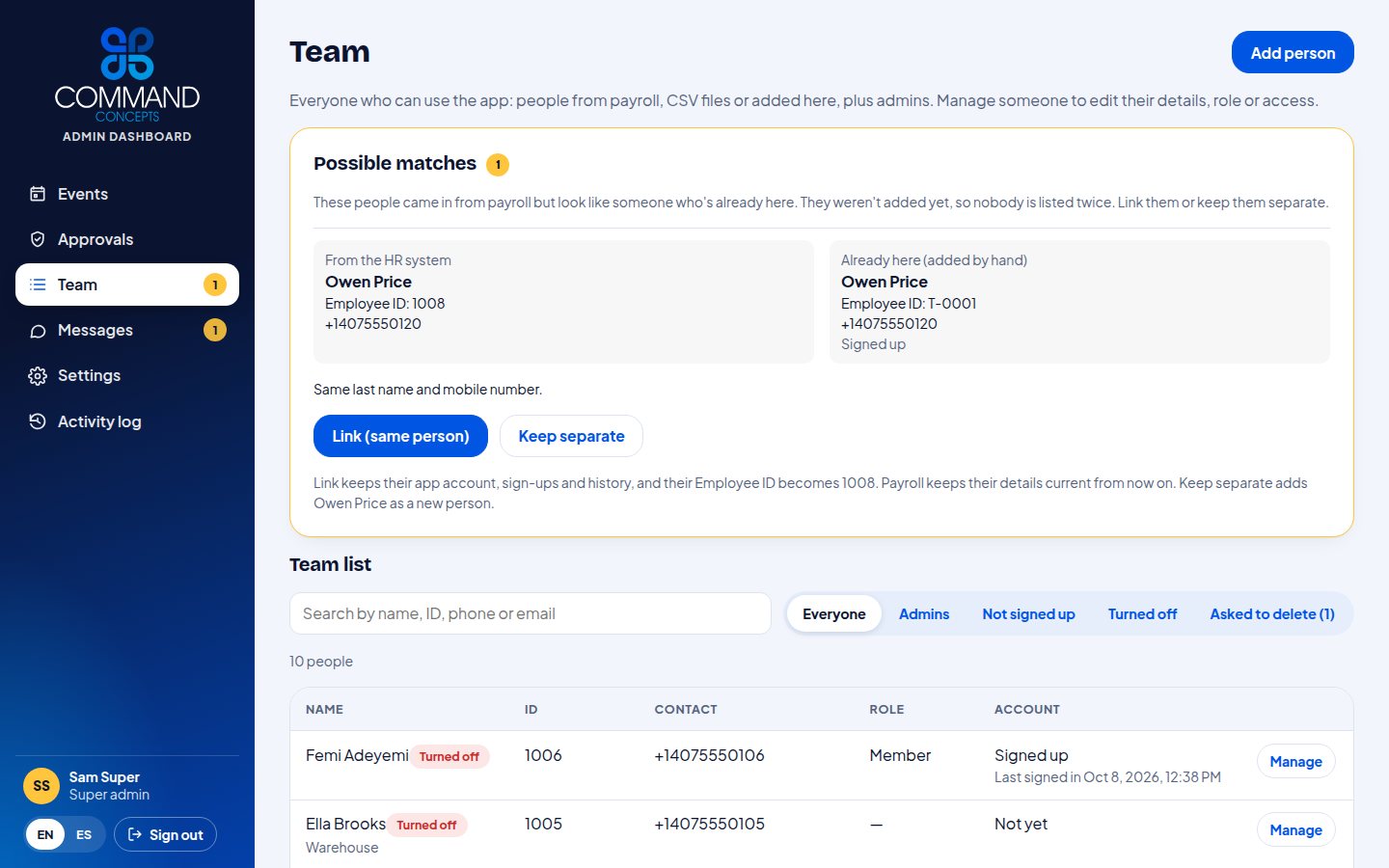
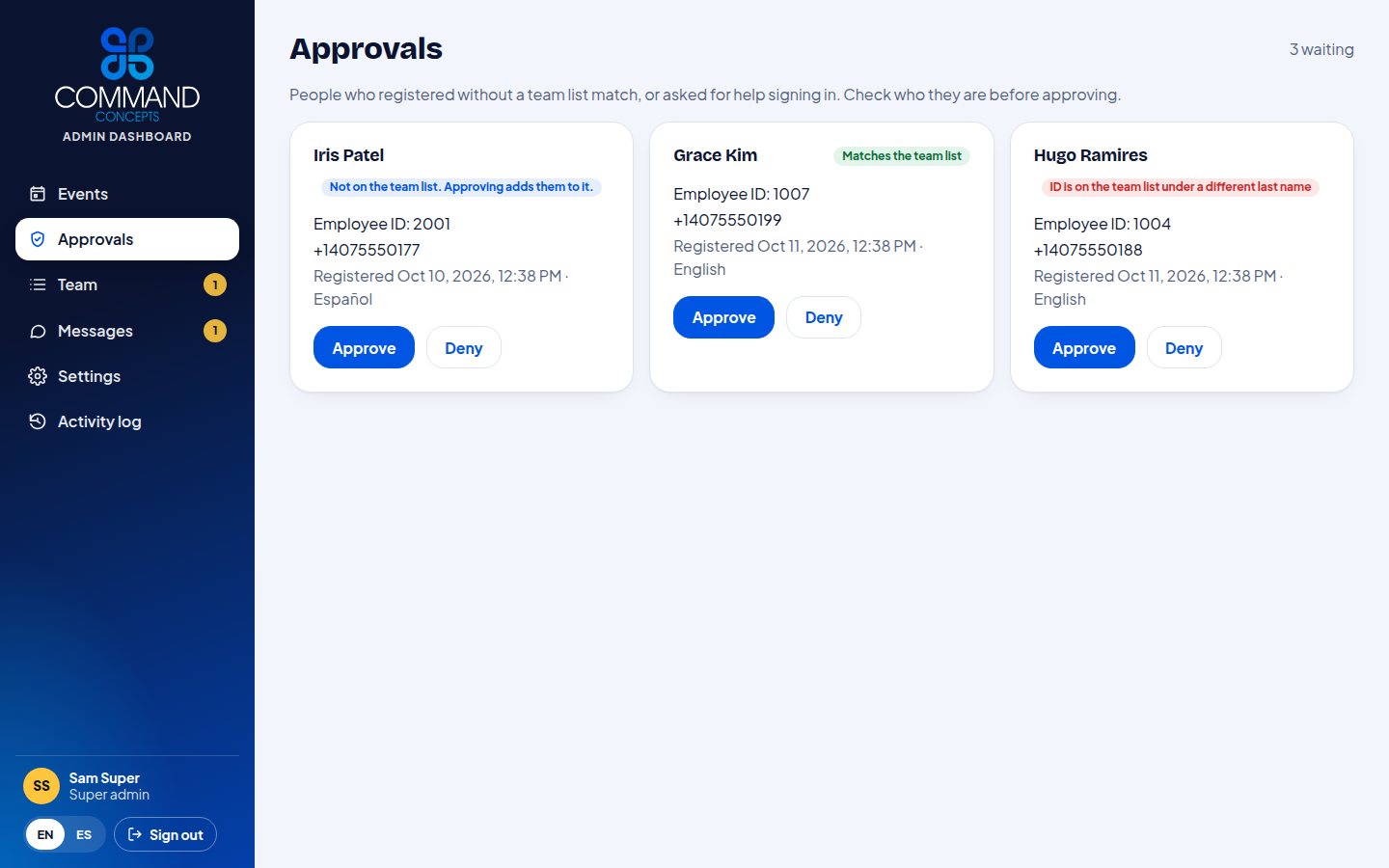
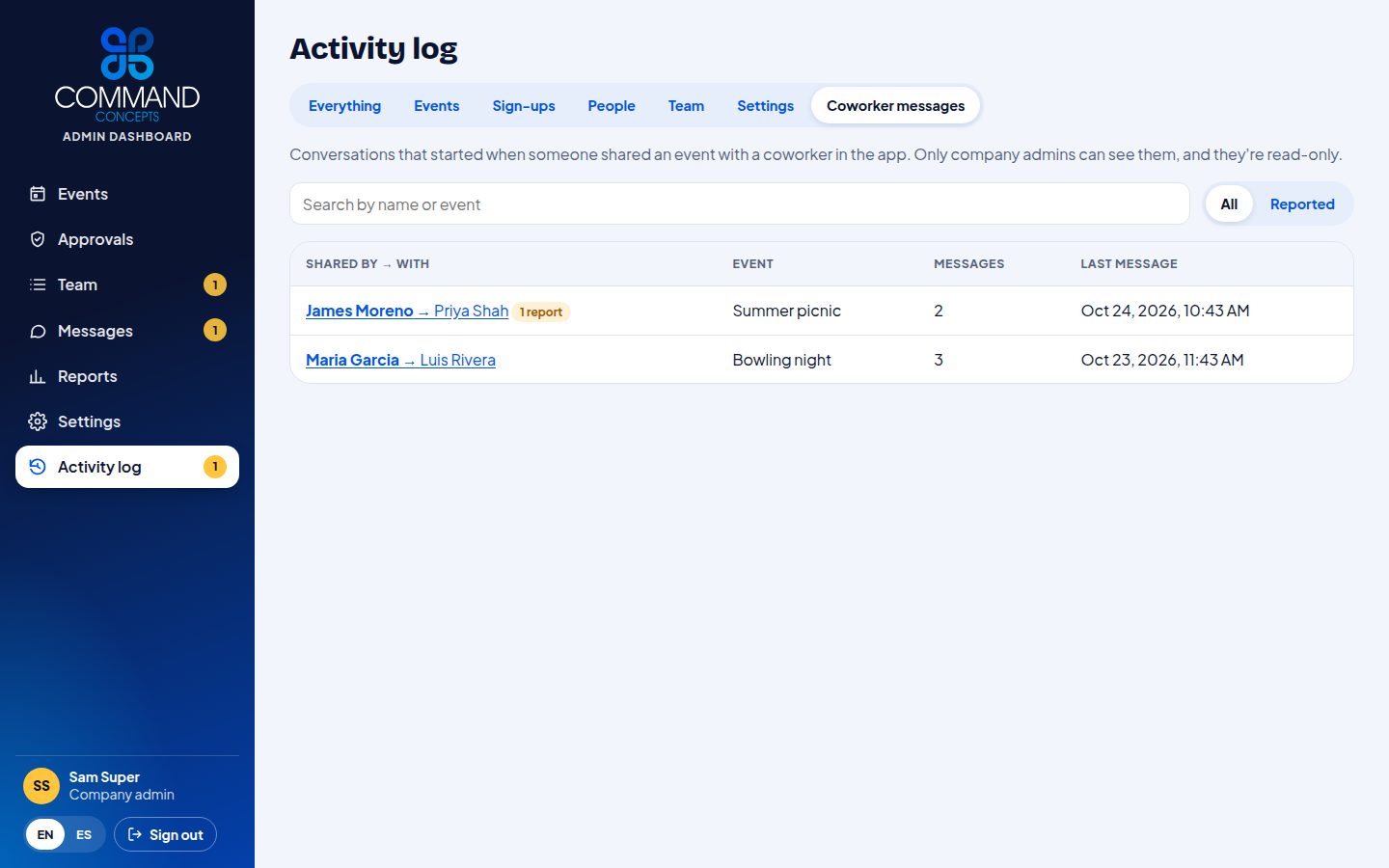
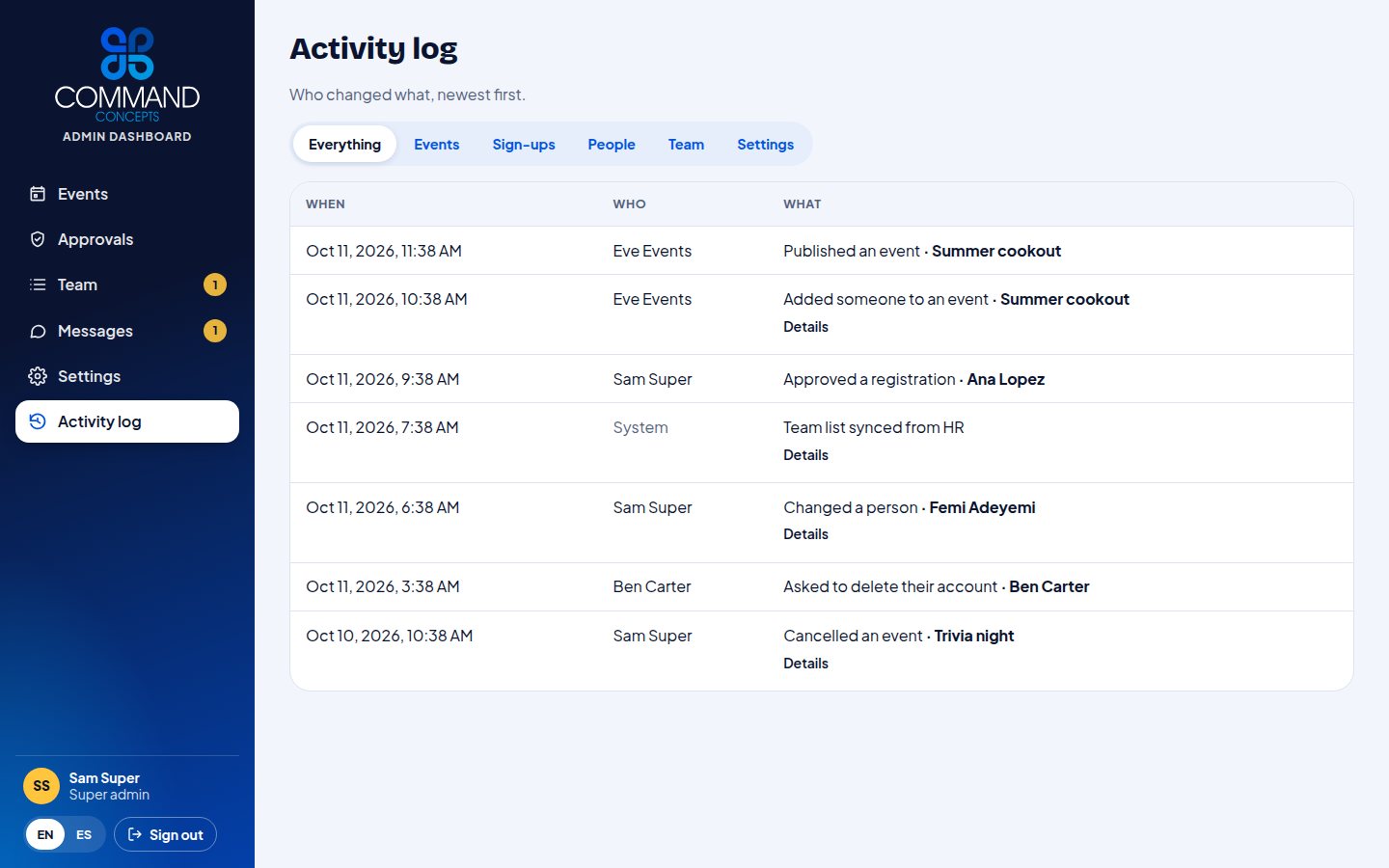
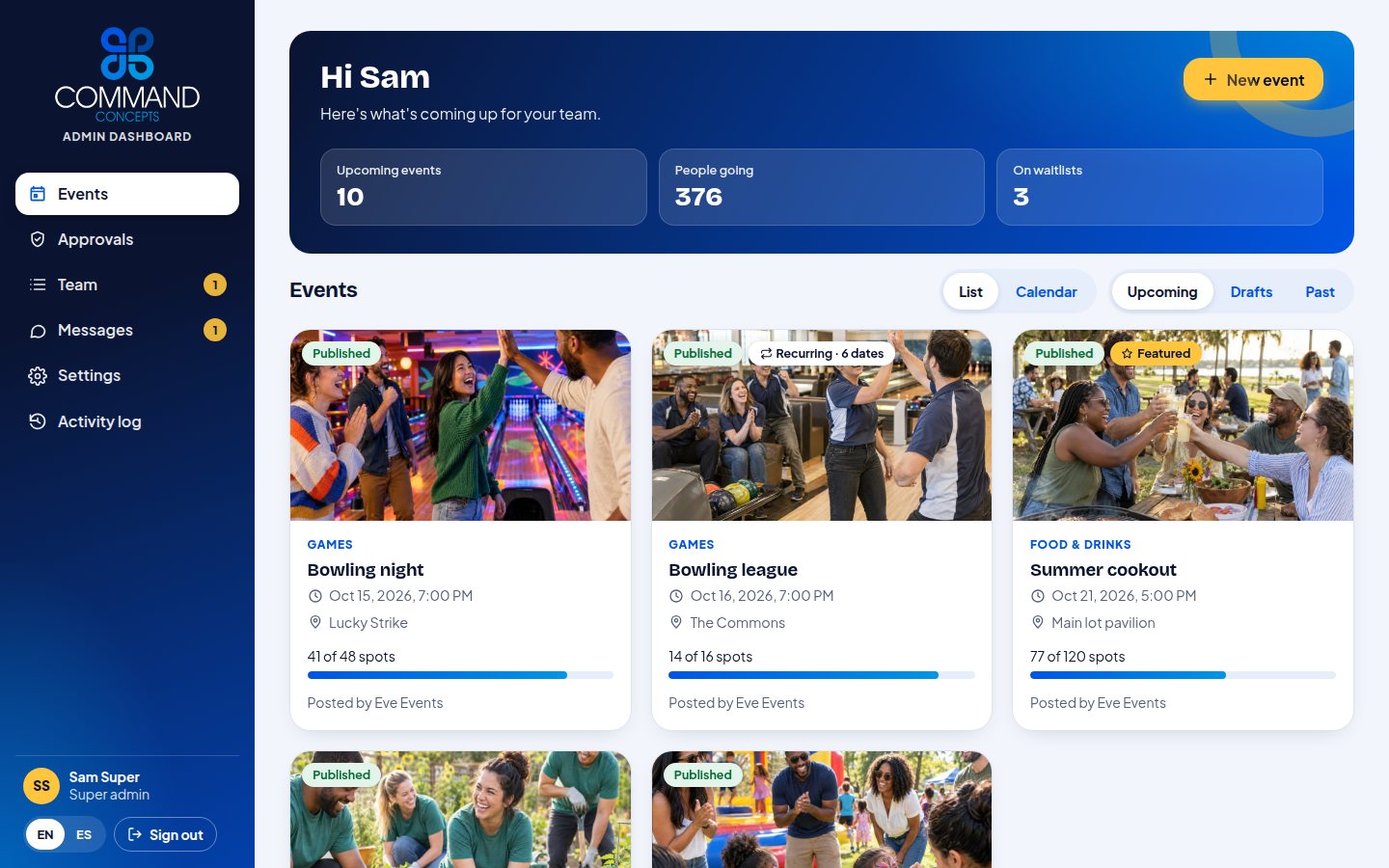
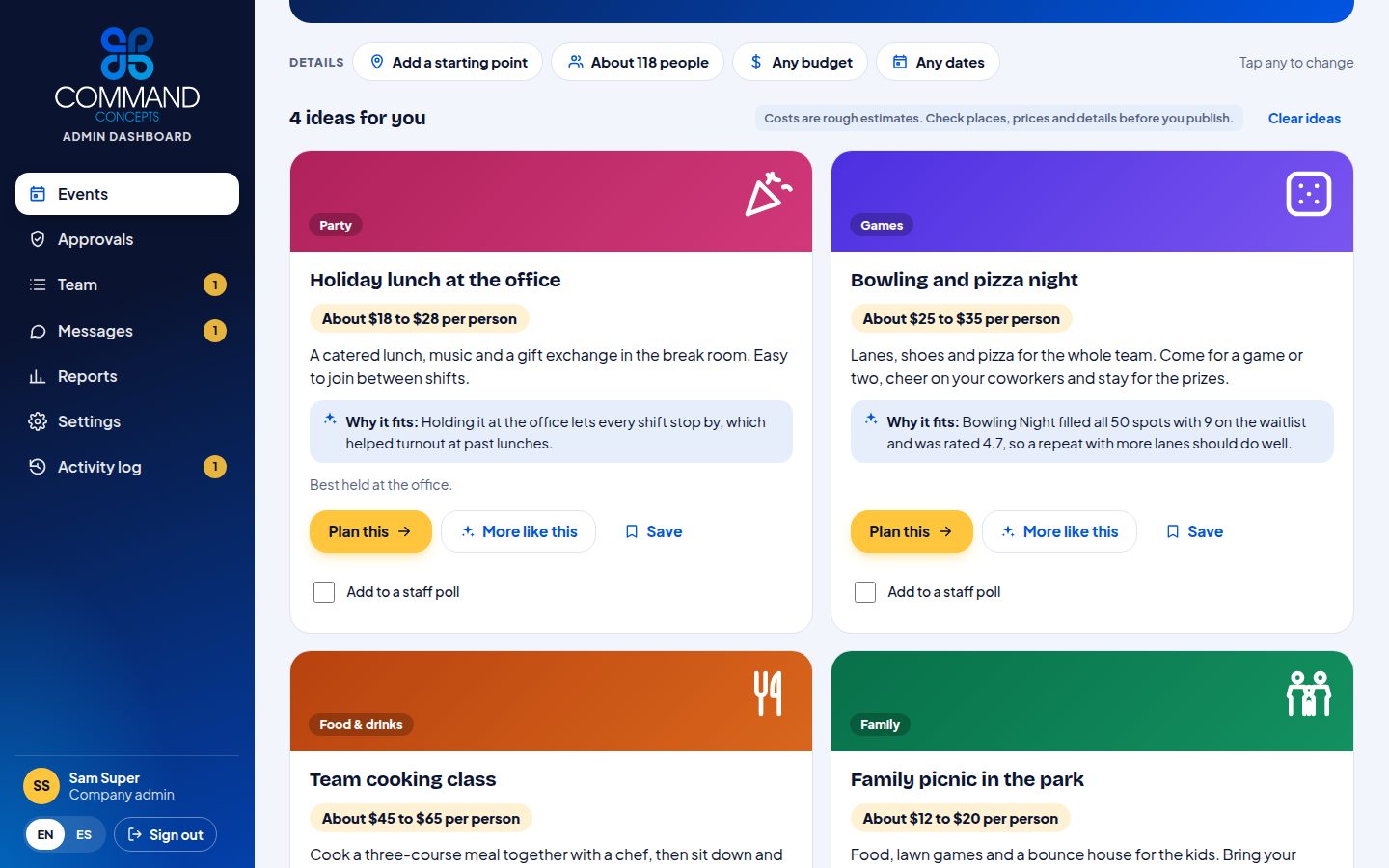
These are real screens from the dashboard your HR team uses. Click a tab or use the arrows to see how easy it is to post an event, answer a question or manage your team.

events.yourcompany.comDemo
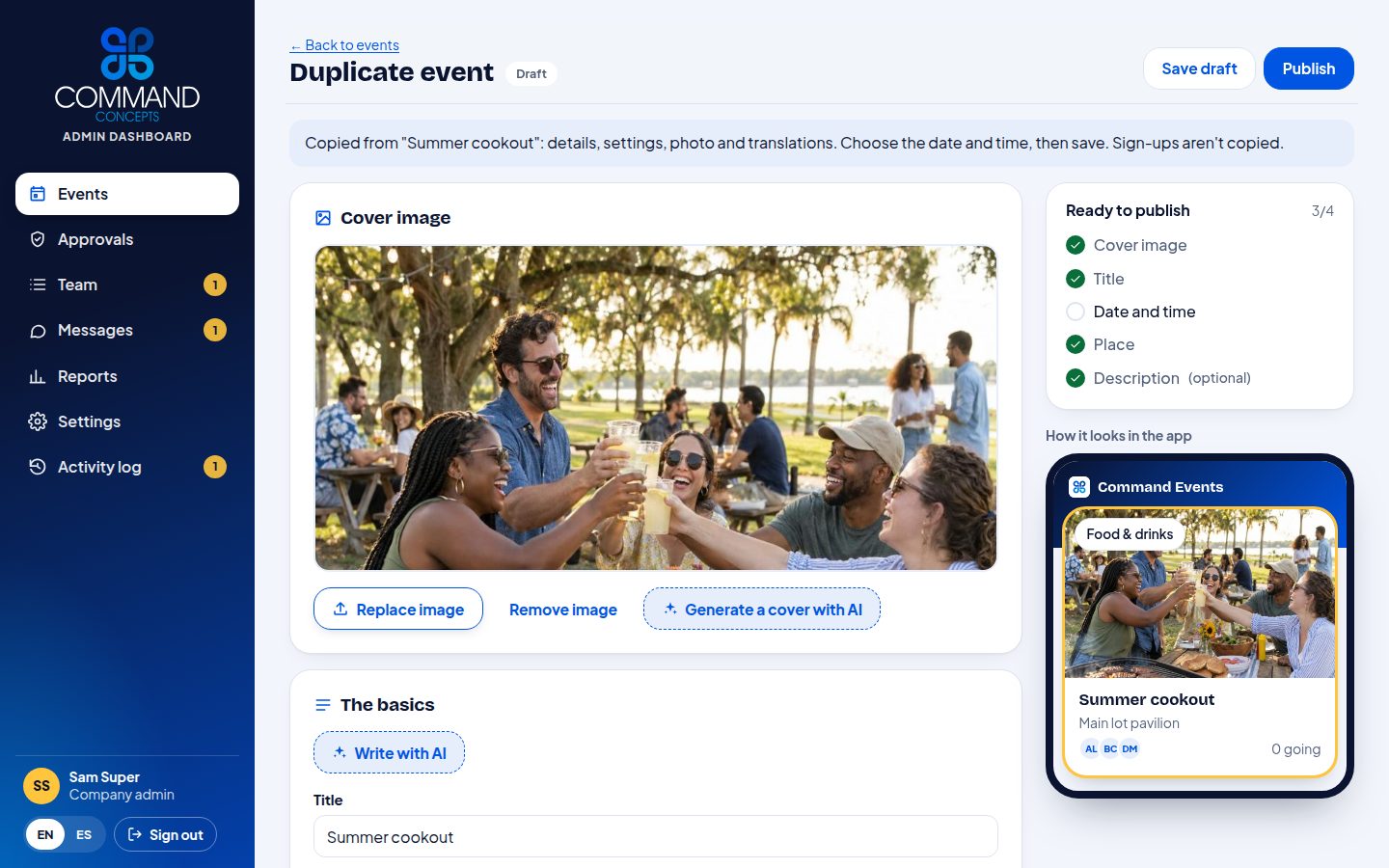
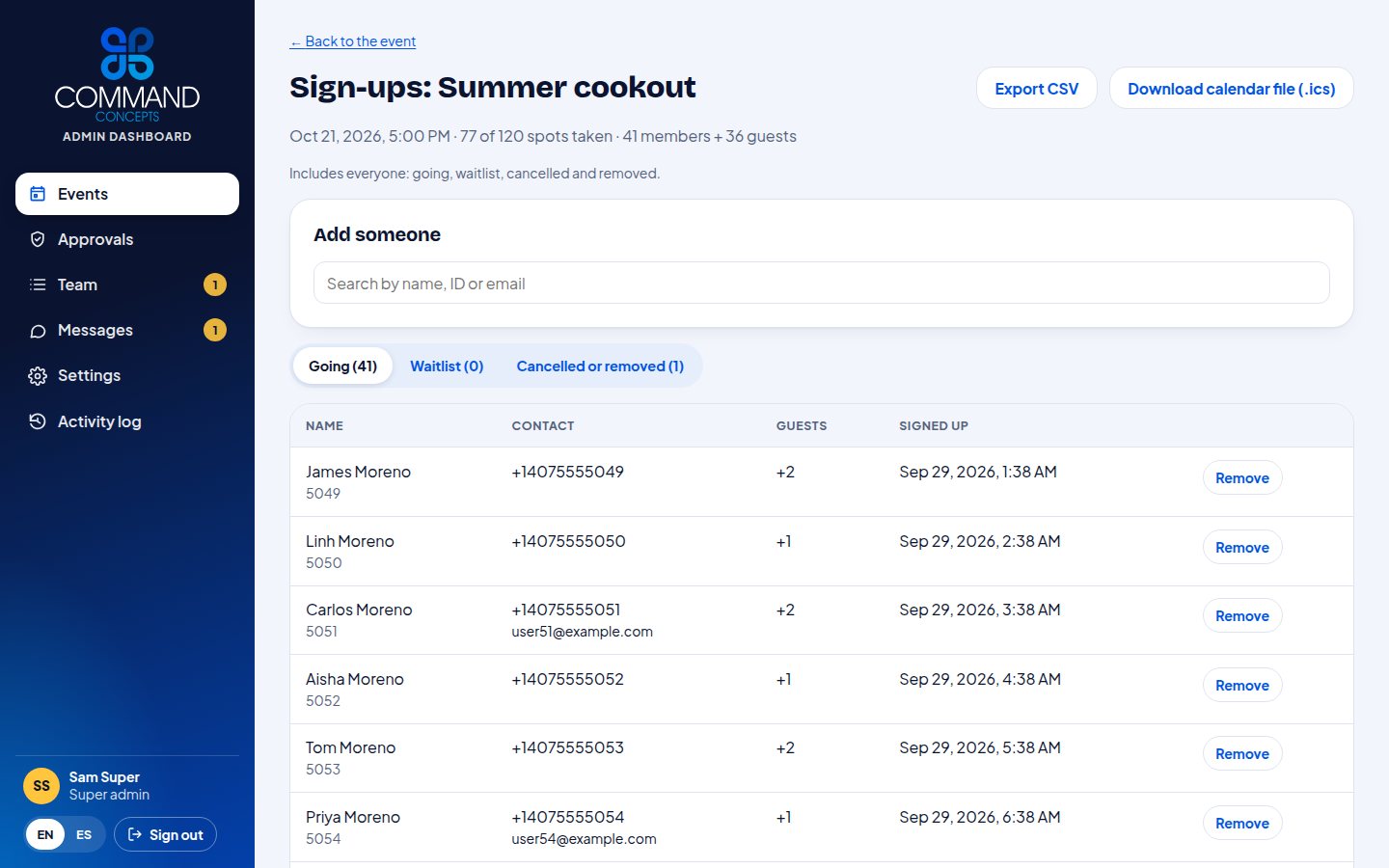
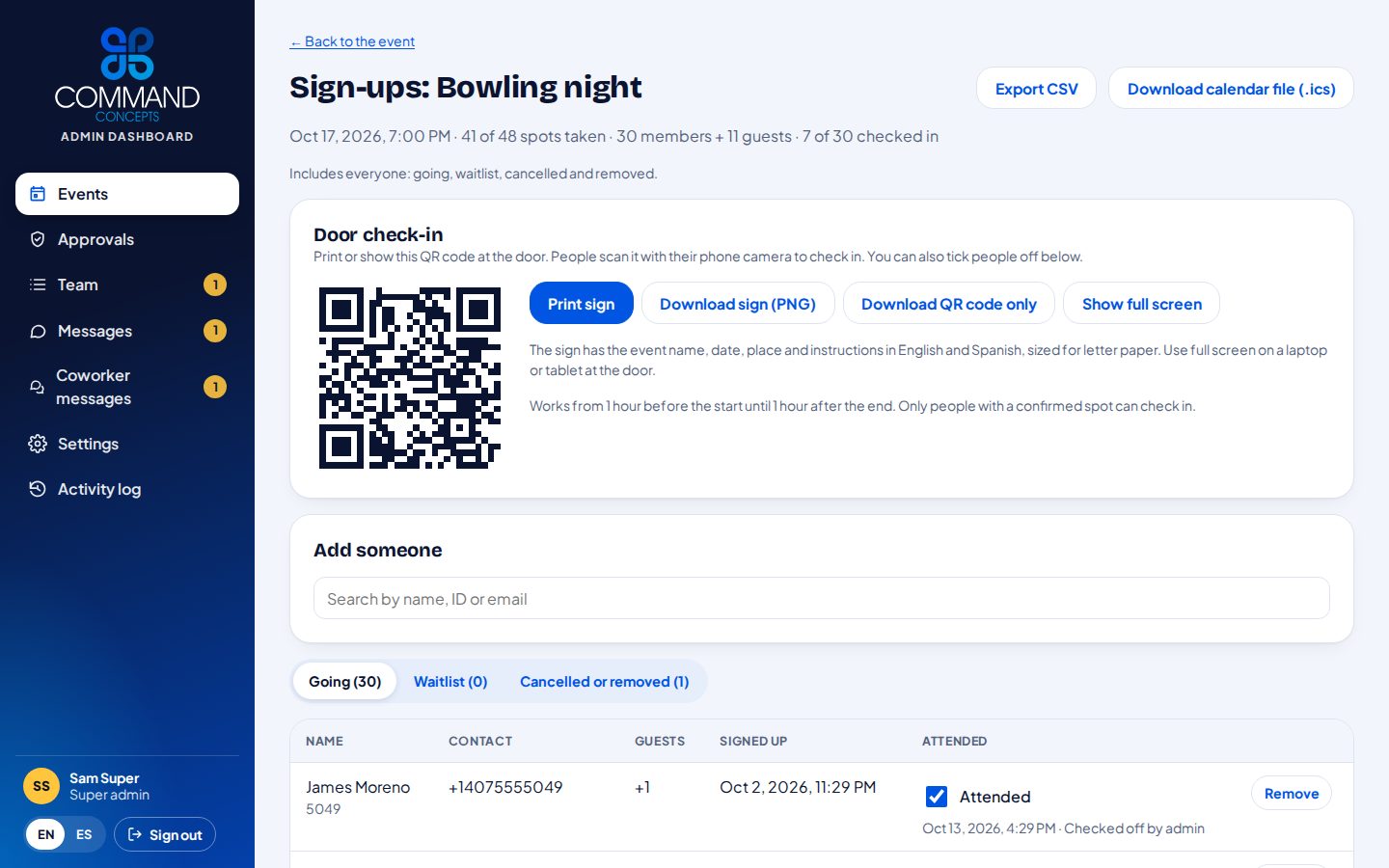
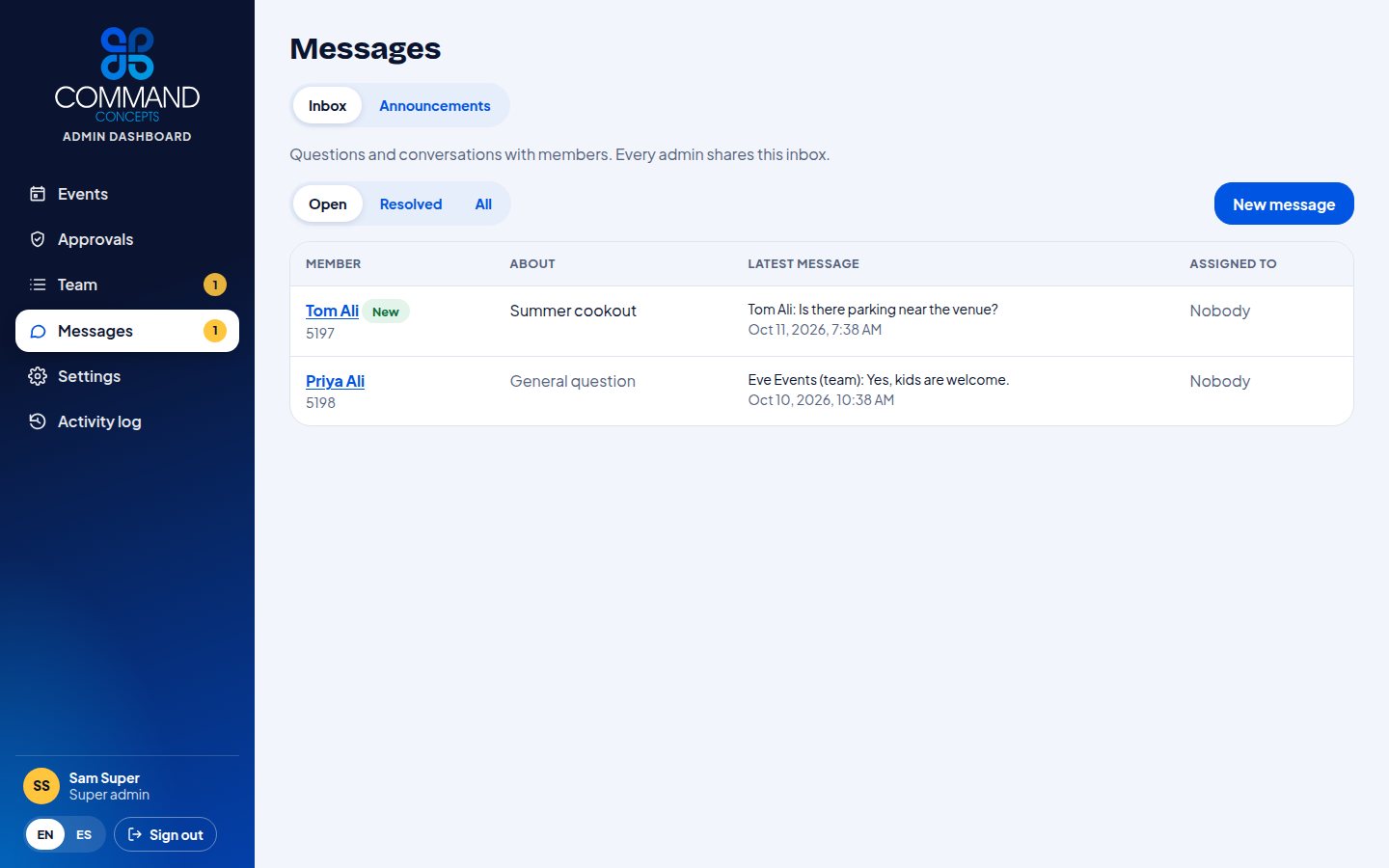
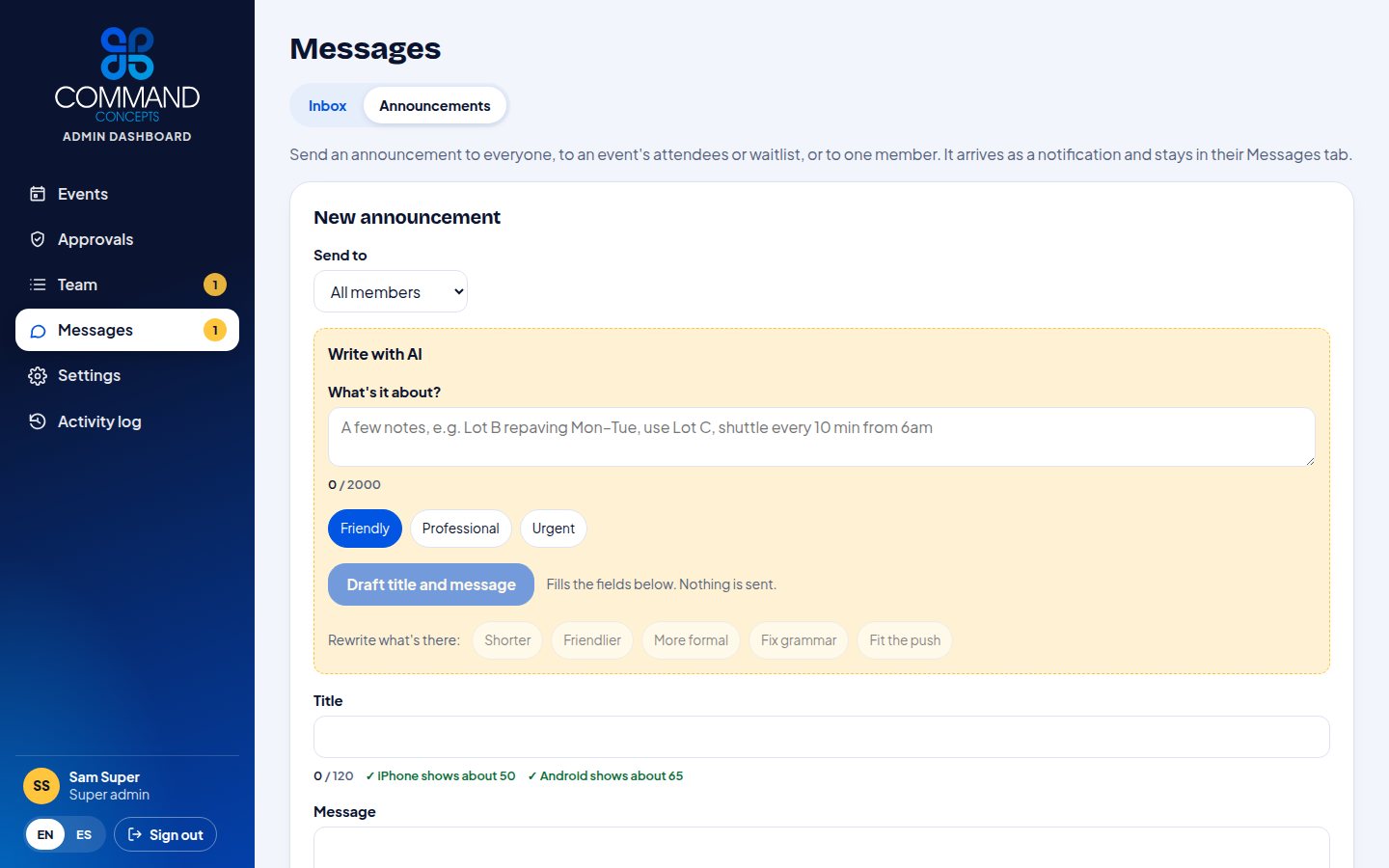
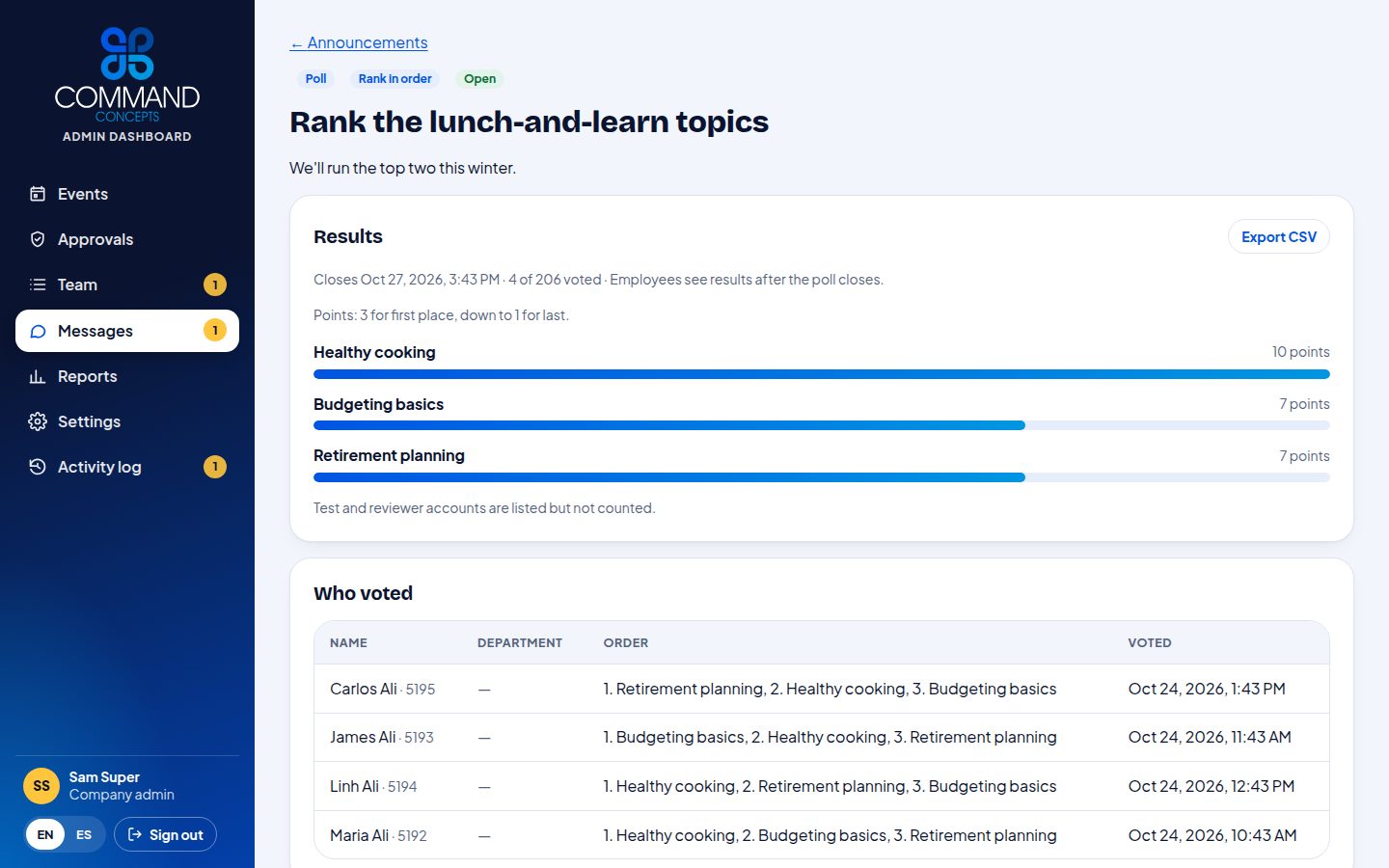
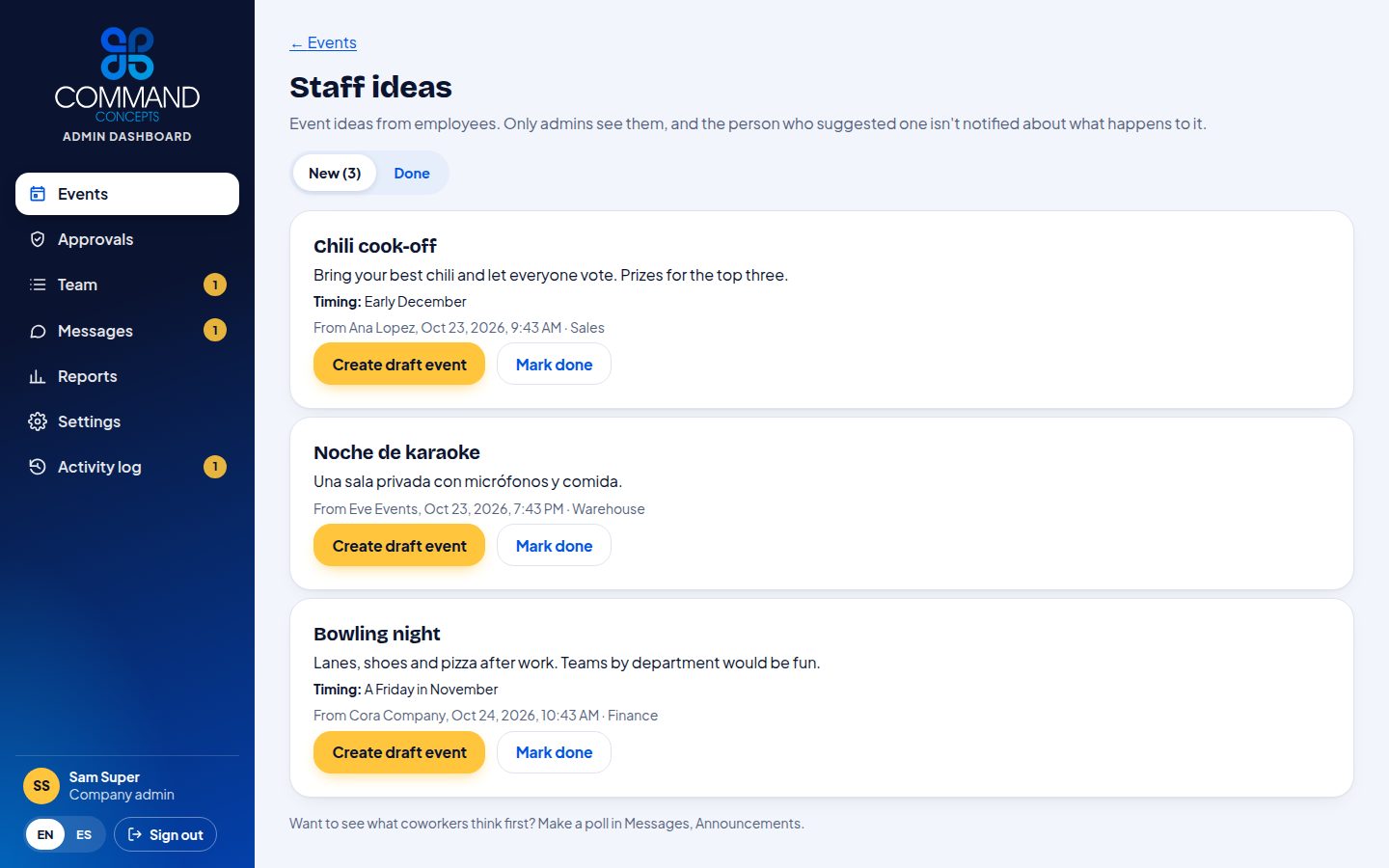
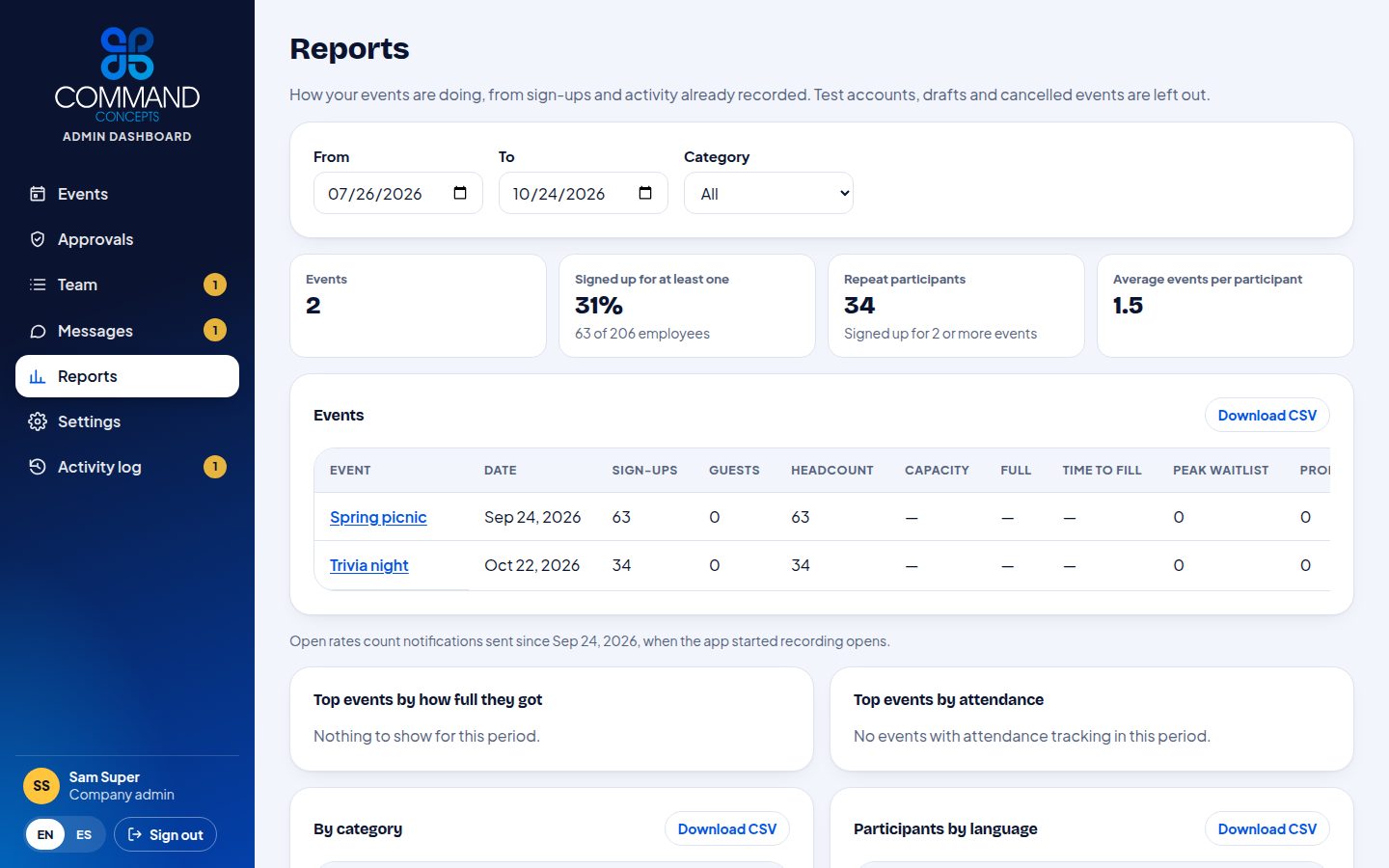
Events list with sign-ups, waitlists and a Low sign-ups tag AI planner with four event idea cards and estimated costs Event editor with AI cover image and live phone preview Event cost with an early price and a cost note Event budget with planned and actual cost Duplicate event with details, settings and photo copied Sign-up list with guests and export Door check-in QR code with print and download buttons above the attendee list Questions inbox Announcement composer with AI writing help Ranking poll results Staff ideas queue Reports with sign-ups, attendance and breakdowns Team list synced from the HR system Approvals queue Coworker messages review page with reported conversations Activity log

Integrations

Works with the payroll and HR system you already use.

Connect any of 250+ payroll and HR systems and your team list stays current on its own. No system to connect? Upload a spreadsheet. An integration is never required.

Payroll and HR syncConnect your system once. New hires show up and people who leave lose access, with no extra work for HR.
Spreadsheet uploadExport a file from any system and upload it. Smart matching catches duplicates.
Request accessSomeone not on the list yet can ask to join, and an admin approves them.
Switching systems?Connect the new one when you change providers. Events, sign-ups and history stay right where they are.

Employee verification

Only your people get in.

Every person signs in with their employee ID, last name and a one-time code sent by text or email, whichever they choose. If they aren't on your team list, they don't get in until an admin approves them.

  • Connect your payroll or HR system, or upload a spreadsheet
  • No company email or passwords to manage
  • Built for hourly and frontline teams
Payroll or HR systemor a spreadsheet
Verified team listkept in sync
Employee signs inID, last name and a code
English
Food bank volunteer day
Sat, Jun 20 · 9:00 AM · Community food bank

Help sort and pack donations with your team. Lunch is on us.

Sign up
Español
Día de voluntariado en el banco de alimentos
sáb, 20 jun · 9:00 a. m. · Banco de alimentos

Ayude a clasificar y empacar donaciones con su equipo. El almuerzo corre por nuestra cuenta.

Inscribirme

Multilingual support

Every event speaks their language.

Post in your language and every employee sees it in the language they chose: events, reminders, announcements and even replies from HR. Nobody misses out because of a language barrier.

  • English and Spanish built in, 100+ more languages available
  • Messages translated both ways
  • Each person picks their language

Push notifications and two-way messaging

Straight to their lock screen.

Email gets buried and flyers get missed. Push notifications land on the phone your employees already carry, the moment something happens.

Push that gets seenNew events, waitlist spots, reminders and changes arrive instantly, even for people who never check email.
Questions, answered in the appEmployees ask about an event in the app. HR answers from the dashboard, and each side reads it in their own language.
A coworker conversation in the app that started from a shared event

Coworker invites

Invite a coworker. Keep the conversation going.

People come when a coworker asks them. Employees share an event with a teammate and add a note, and the teammate can reply right there, so plans come together without leaving the app.

  • Conversations start only from a shared event
  • Block and report are one tap away
  • Company admins can review conversations, kept apart from the activity log
  • Shares outside the app include only the title, date and a link

Attendance check-in

Know who actually showed up.

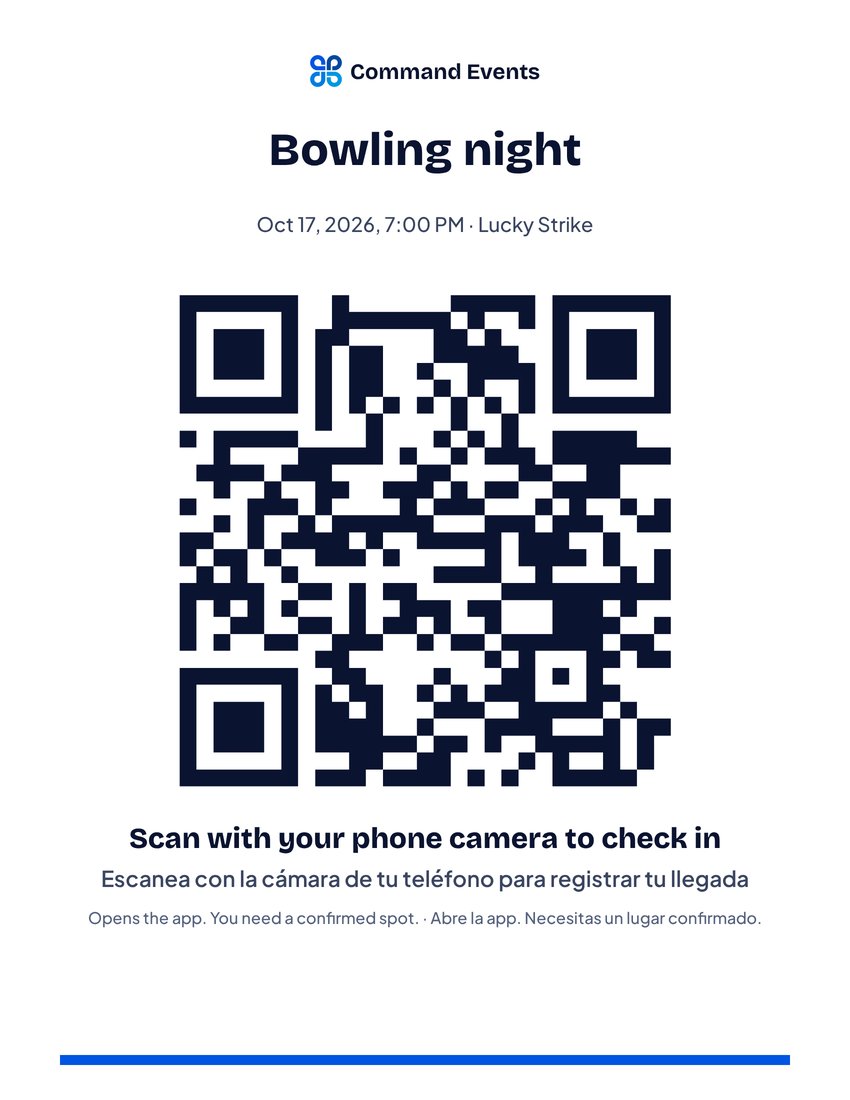
Turn on check-in for the events that need it. Print the door sign from the dashboard, and people scan it with their phone camera to check in. Admins can also check people off from the sign-up list.

  • Print a bilingual sign, download it or show it full screen
  • For virtual events, tapping Join counts as attending
  • Check-ins show up in your sign-up export
  • Optional: if you leave it off, nothing is recorded
A virtual event in the app with a Join now button

Virtual events

Online events, one tap to join.

Remote and multi-site teams belong at events too. Paste a Zoom, Teams or Google Meet link, and the event gets a Join button that appears at the start time.

  • Only people with a spot see the link
  • Reminders and waitlists work like any other event
  • Joining is counted for attendance when you track it

Everything included

The details that fill a room.

Every feature comes standard. No add-on modules and no surprises.

Automatic waitlistsWhen someone drops out, the next person moves up and gets a push.
Guests and plus-onesSet how many guests each person can bring.
Repeating eventsWeekly leagues and monthly lunches, set up once.
Sign-up windowsOpen and close dates, plus a deadline for changes.
AI writing and cover imagesDraft the description and a cover image in seconds.
Add to calendarOne tap puts the event on their phone's calendar.
Coworker invites and repliesShare an event with a note, and the coworker can reply. Block and report built in.
Who's goingShow attendee names to build momentum, or keep them private.
Featured eventsPut the big ones front and center on everyone's home screen.
AnnouncementsMessage everyone, selected departments, one event's attendees or one person. Add categories and attachments.
Team list syncPayroll and HR sync, with smart duplicate matching.
Approvals and activity logControl what goes live and see every change.
Virtual eventsPaste a meeting link. The Join button appears at start time.
QR check-inA printable door sign, admin check-off and attendance in your export. Optional.
Duplicate eventsCopy an event with its settings and photo, then pick a new date.
Text or email codesEmployees and admins choose how they get their sign-in code.
Sign-up questionsAsk about meal choice, allergies or shirt size, and print a headcount sheet.
Cost and early priceShow the cost per person and per guest, with an optional early price.
Department-only eventsShow an event or announcement only to the departments you pick.
Event feedbackA quick star rating and comment after each event.
Staff pollsLet employees vote or rank choices, then turn the winner into a draft.
Staff ideasEmployees suggest events. Only admins see them.
Event budgetsPlanned and actual cost for each event, visible only to admins.
AI event plannerEvent ideas based on your turnout, ratings, staff ideas and nearby places.
Smart alertsFlags low sign-ups, long waitlists and no-show trends before they cost you.
ReportsSign-ups, attendance, feedback and cost by event, department and location.
Home welcome messageA short note from HR at the top of everyone's Home screen.
Reminders you controlUse the defaults from Settings or set reminders for each event.

White-label

Your name on the home screen.

Command Events is a white-label product. Your employees don't download another vendor's app; they get your company's app, with your logo, your colors and the words your company uses, on iPhone and Android.

From kickoff to launch

We build it. You launch it.

Your branded app is built for you and published to the App Store and Google Play under your brand. Apple and Google review every app, so we plan your launch date around their approval.

  1. 1

    Kickoff and branding

    Share your logo, colors and the words your company uses. We set up your app and dashboard.

  2. 2

    Connect your team

    Link your payroll or HR system, or upload a spreadsheet. We help you get it right.

  3. 3

    Store approval

    We submit your app to the App Store and Google Play and handle their review.

  4. 4

    Launch day

    Employees download your app, sign in with their employee ID and see what's coming up.

Once you're live

Your next event takes minutes.

Write it onceAI helps with the description and cover image.
It goes out automaticallyTranslated and pushed to every phone.
Watch it fill upSign-ups, waitlists and reminders run on their own.

Pricing

Priced for your team. Let's talk.

Every company runs events differently, so every plan is put together for you. Book a demo, tell us what you have in mind, and we'll build a proposal that fits.
  • A walkthrough built around your company
  • A proposal built for your company
  • Help connecting your team list

Schedule a demo

Sends to our team at support@commandevents.app. We'll reply to set a time.